
Key takeaways
- AI-generated music is composed, performed or produced by artificial intelligence from a text description, lyrics or other input.
- Under U.S. law, music created by AI without human authorship cannot be copyrighted. Music you create with Tangra AI is cleared for personal and commercial use.
- In Tangra AI Music Generator you describe a track, pick a Song model for vocals or a Music model for instrumentals, add your own lyrics if you like, and press Create.
- Creators use it for video backgrounds, ringtones, songwriting ideas, events and social posts.
Imagine listening to a song that was composed by a machine. A song that has never been heard before, that has original melody, harmony, instruments, and even voice. A song that sounds like your favorite artist, or a mix of different genres and styles. Music that can make you feel happy, sad, inspired, or anything in between. This is not a fantasy. This is the reality of generative AI, a branch of artificial intelligence that can create new content from scratch. Generative AI is everywhere, and it is transforming the way we communicate, learn, and entertain ourselves. Also, it fuels AI music generator tools.
You may have already encountered generative AI in your daily life and work. It can answer your questions, summarize information, write articles, and so much more. It can also generate images, from realistic portraits to surreal landscapes. Gen AI can even create videos, animations, slide presentations, and even movies.
But did you know that generative AI can also compose music? Yes, music. There are machine learning models and AI music generator tools that can produce original and captivating music in minutes. Music that you can listen to, share, or even use for your own projects.
What is AI-generated music?
In short, music that is composed, performed, or produced by artificial intelligence systems. AI music generation is a challenging and exciting field that has many potential applications and benefits for both musicians and listeners.
Is AI-generated music copyright-free?
Yes, it is. As per the court ruling from August 2023, a 'work of art created by artificial intelligence without any human input cannot be copyrighted under U.S. law.' Read the full article here.
The U.S. Court of Appeals for the D.C. Circuit upheld that ruling in March 2025, and the U.S. Copyright Office's January 2025 report reached the same conclusion: copyright protects what a human author creates. Lyrics you write yourself stay yours.
On Tangra, you own the music you create. Tangra claims no ownership of it and requires no attribution, so you can use your tracks in personal and commercial projects, from YouTube videos and podcasts to ads, events and client work.
Why do we need an AI music generator?
Music is a huge part of our lives. We listen to music while working (out), walking, driving, or riding the bus. We use it for social media posts, promotional videos, at events, and as an ambient background. But why would we use an AI music generator? Obviously, whenever we need copyright-free music. But let's explore some other use cases.
- Create one-of-a-kind phone tunes. Really unique and personalized ringtones, notification bells, and alarm chimes.
- Generate background music for videos. Whether we create ads, YouTube Shorts, TikTok videos, or Instagram Reels, we want to complement them with music. True, most tools offer to choose from their gallery of audio files. But an AI music generator can produce the music that matches exactly the style and vibe of the video. Plus, no other video will have the same audio.
- Assist songwriters and film composers. An AI model can create novel music - instrumental pieces, lyrics, melodies, or harmonies, to help musicians with suggestions and feedback.
- Explore new musical possibilities by combining various genres, instruments, styles, and moods. Thus, expanding the musical horizons of both listeners and creators.
- Still in its infancy, but AI-generated music will be an important part of the metaverse. Since it's all about personalizing the immersive experiences, we'll be creating music to accompany our exploration of virtual worlds, social shopping, virtual events, or even online learning. Imagine going to a store that doesn't blast Christmas songs from November 1st. That's the metaverse store personalized experience for you - everyone can listen to whatever they feel like.
How can you generate music in Tangra?
- Go to tangra.link/music and sign in for free.
- Describe the track you want, for example “a heartfelt love song”.
- Pick an AI model - Song models add vocals, the rest are instrumentals only.
- If creating a song, enter your own lyrics as Intro, Verse, Chorus, Bridge and Outro sections, or press the sparkle button to have them generated for you.
- Press Create. Once ready, your track will be added to your library and you can play it our player. You can even play a playlist.
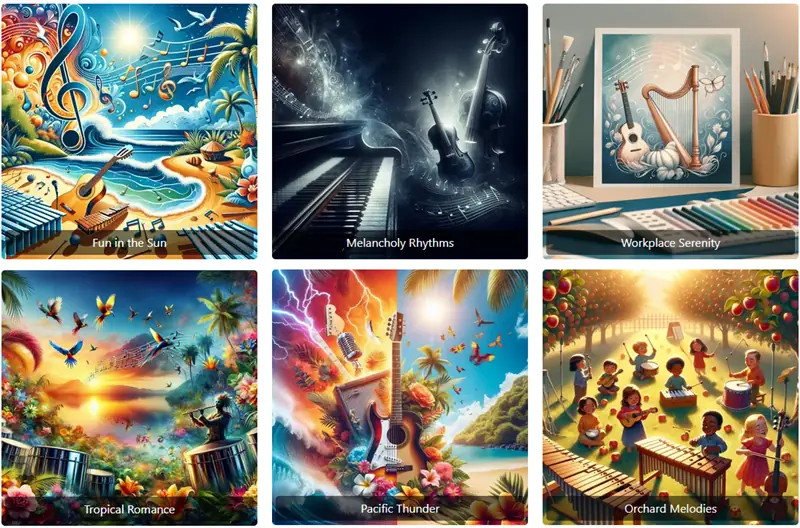
And along with the music, you get a gorgeous cover image to match it. Download your track, share it, add it to a playlist, or turn it into a music video. You may also browse through the gallery and listen to music samples to get an idea of what is possible. Isn't this cool?
Step-by-step instructions for every control are in the Music Generator guide.
How does music generation work?
AI systems can generate music using various methods, such as deep learning, neural networks, or symbolic representations. These methods involve training an AI model on a large dataset of existing music, and then using the model to create new compositions based on the patterns and structures of the music.
Some of the factors that influence how an AI system generates music are:
- Input and output formats. The input can be text, image, audio, or musical notation, and the output can be raw audio, MIDI, or sheet music.
- Level of control and interactivity. The user can specify the genre, style, mood, tempo, or lyrics of the music, or provide a musical prompt or feedback to the AI system.
- Quality and diversity of the music. The AI system should be able to produce music that is realistic, coherent, expressive, and novel.
AI-generated music: challenges and opportunities
When we first wrote this guide in January 2024, generating music was super slow and extremely processor-intensive. Depending on the model, it could take up to 9 hours to generate a single minute of music, and the models ran only on powerful computers.
UpdateToday's models turn a short text description into a complete track in seconds.
Remember the first AI-generated images? Inadequate, weird, even ugly most of them were. Just a couple years later, they are a million times better. The same happened with music generated by artificial intelligence, and it keeps getting better.
As with any tool, users need to get the hang of it. Providing the right prompt is super important. Also, tweaking the prompt to the right genre, instruments, tempo, even mood. Again, if we use the AI image generation example, we need to tell the model what we want. Therefore, our text prompt needs to include additional attributes like colors and tone, elements and patterns, texture and contrast, intensity and brightness.
Fun fact: computer music dates back almost 70 years
In 1957, Lejaren Hiller and Leonard Isaacson used ILLIAC I, a super powerful computer at the time at the University of Illinois, to compose a piece for string quartet, the Illiac Suite. It is generally considered the first musical score composed by a computer.
What are the most popular AI music generator tools?
- OpenAI's Jukebox is an AI model that creates a new music sample when provided with genre, artist, and lyrics as input. It was released as a research project in 2020.
- Google DeepMind's Lyria is an advanced music generation model creating songs with instrumentals and vocals.
- Tangra AI Music not only creates unique music but also a gorgeous image to go along with it, and a fun title. You get several Song and Music models in one place, all on a separate web page for you to share with your friends. Wondering how it stacks up? See Tangra AI Music vs Suno.