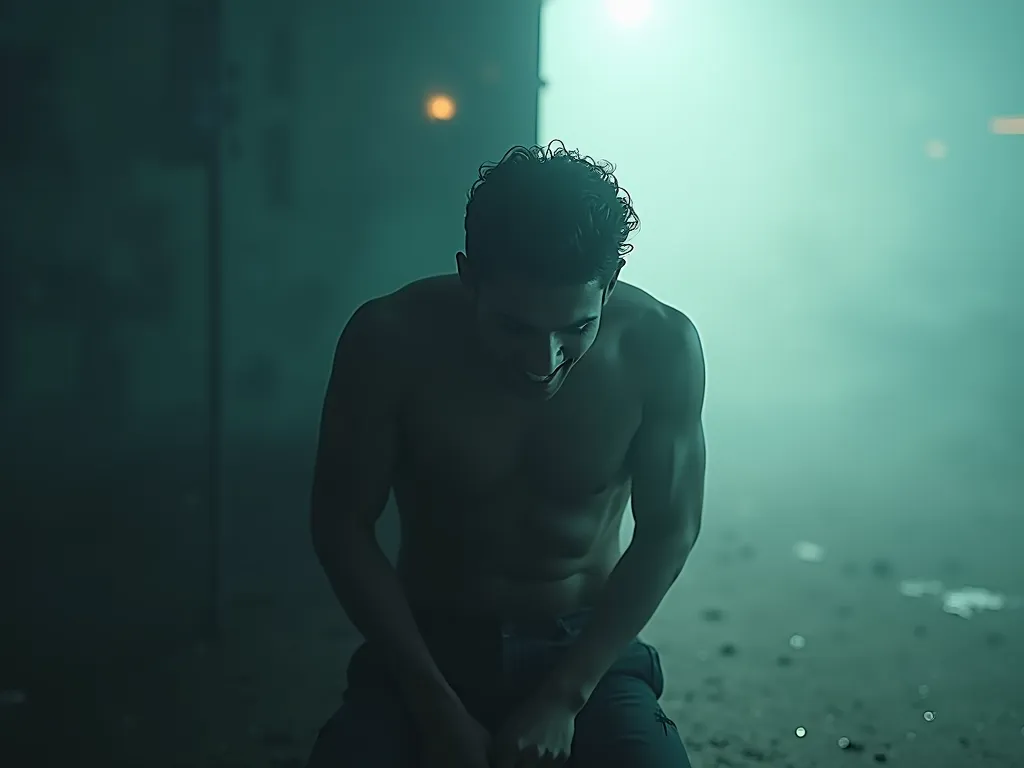
خوف سے آزادی تک: ایک تبدیلی کی کہانی - AI Generated Image with Text

خوف سے آزادی تک: ایک تبدیلی کی کہانی - **Conceptualized YouTube Thumbnail Design:**

### **Layout & Composition**  
1. **Split-Screen Contrast**:  
   - **Left Side (Fear)**: Dark, foggy, and claustrophobic. Use deep blacks, charcoal grays, and hints of eerie green/blue shadows. The person is hunched, eyes wide with fear, hands gripping their shoulders (body language of anxiety). Add subtle fog swirls and faint ghostly silhouettes in the background.  
   - **Right Side (Freedom)**: Bright, warm, and expansive. Golden-hour sunlight or glowing cyan/white gradients. The same person stands tall, arms open, smiling confidently. Add radiant light flares, abstract energy waves, or sparkles for positivity.  

   **Transition**: A **diagonal split** (from bottom-left to top-right) creates dynamic tension. The divide blends with a soft gradient where the two color schemes merge (e.g., dark blue fading to gold).  

2. **Blurred Central Space**:  
   - Apply a **subtle Gaussian blur** to the middle third of the background, creating a "clean" zone. Ensure the blur transitions smoothly from both sides.  
   - Place the **Urdu title** here in bold, sans-serif font (e.g., "Noto Nastaliq Urdu" for readability). Use **white or gold text** with a black/dark blue drop shadow for contrast.  

---

### **Symbolic Elements**  
- **Fear Side**:  
  - Add faint, translucent chains fading into the fog (symbolizing oppression).  
  - Dark silhouettes of hands reaching from the shadows.  
- **Freedom Side**:  
  - Sunburst rays or abstract geometric shapes in gold/white.  
  - Butterflies or birds flying upward (metaphor for liberation).  

---

### **Color Palette**  
| **Fear Side**          | **Freedom Side**       |  
|-------------------------|------------------------|  
| Charcoal Black (#1A1A1A) | Radiant Gold (#FFD700) |  
| Navy Blue (#000080)      | Sky Cyan (#00B4D8)     |  
| Moss Green (#4A6B3D)     | Pure White (#FFFFFF)   |  

**Gradient Transition**: Blend from navy blue to gold in the central blur zone.  

---

### **Text Placement**  
- **Urdu Title**: Centered in the blurred area, large and bold. Example:  
  **"خوف سے آزادی تک: ایک تبدیلی کی کہانی"**  
  *(From Fear to Freedom: A Story of Transformation)*  
- Use a **text stroke** (1-2px) in dark blue to ensure legibility.  

---

### **Tools & Execution Tips**  
1. **Software**: Photoshop (for advanced layering/blending) or Canva (templates + blur effects).  
2. **Stock Resources**:  
   - Fog textures (Envato Elements).  
   - Light leaks/particles (Freepik).  
3. **Export**: Test thumbnail at 1280x720px resolution. Ensure text is readable even at mobile sizes.   - AI image generated with Text

خوف سے آزادی تک: ایک تبدیلی کی کہانی

**Conceptualized YouTube Thumbnail Design:** ### **Layout & Composition** 1. **Split-Screen Contrast**: - **Left Side (Fear)**: Dark, foggy, and claustrophobic. Use deep blacks, charcoal grays, and hints of eerie green/blue shadows. The person is hunched, eyes wide with fear, hands gripping their shoulders (body language of anxiety). Add subtle fog swirls and faint ghostly silhouettes in the background. - **Right Side (Freedom)**: Bright, warm, and expansive. Golden-hour sunlight or glowing cyan/white gradients. The same person stands tall, arms open, smiling confidently. Add radiant light flares, abstract energy waves, or sparkles for positivity. **Transition**: A **diagonal split** (from bottom-left to top-right) creates dynamic tension. The divide blends with a soft gradient where the two color schemes merge (e.g., dark blue fading to gold). 2. **Blurred Central Space**: - Apply a **subtle Gaussian blur** to the middle third of the background, creating a "clean" zone. Ensure the blur transitions smoothly from both sides. - Place the **Urdu title** here in bold, sans-serif font (e.g., "Noto Nastaliq Urdu" for readability). Use **white or gold text** with a black/dark blue drop shadow for contrast. --- ### **Symbolic Elements** - **Fear Side**: - Add faint, translucent chains fading into the fog (symbolizing oppression). - Dark silhouettes of hands reaching from the shadows. - **Freedom Side**: - Sunburst rays or abstract geometric shapes in gold/white. - Butterflies or birds flying upward (metaphor for liberation). --- ### **Color Palette** | **Fear Side** | **Freedom Side** | |-------------------------|------------------------| | Charcoal Black (#1A1A1A) | Radiant Gold (#FFD700) | | Navy Blue (#000080) | Sky Cyan (#00B4D8) | | Moss Green (#4A6B3D) | Pure White (#FFFFFF) | **Gradient Transition**: Blend from navy blue to gold in the central blur zone. --- ### **Text Placement** - **Urdu Title**: Centered in the blurred area, large and bold. Example: **"خوف سے آزادی تک: ایک تبدیلی کی کہانی"** *(From Fear to Freedom: A Story of Transformation)* - Use a **text stroke** (1-2px) in dark blue to ensure legibility. --- ### **Tools & Execution Tips** 1. **Software**: Photoshop (for advanced layering/blending) or Canva (templates + blur effects). 2. **Stock Resources**: - Fog textures (Envato Elements). - Light leaks/particles (Freepik). 3. **Export**: Test thumbnail at 1280x720px resolution. Ensure text is readable even at mobile sizes.

Text, Size: 1024 x 768
 3 Likes
 23 Views
⭐⭐⭐⭐⭐
absolutely Tangra is great ai model. it better than any model of ai

Similar AI-Generated Images

Discover more images created with similar styles, themes, and AI models


Frequently Asked Questions

Can I use the AI-generated images commercially?

Yes. All images created with Tangra AI are copyright-free and fully approved for commercial use, with no attribution required.

What AI models are used to create these images?

Tangra AI uses a curated mix of the best-performing industry models like Flux, DALL·E, Imagen, Nano Banana, and Stable Diffusion alongside our own proprietary models to deliver consistently high-quality, production-ready images.

Can I edit the images after they are generated?

Yes. Tangra AI includes powerful editing tools that let you refine and adjust your images after they're generated.