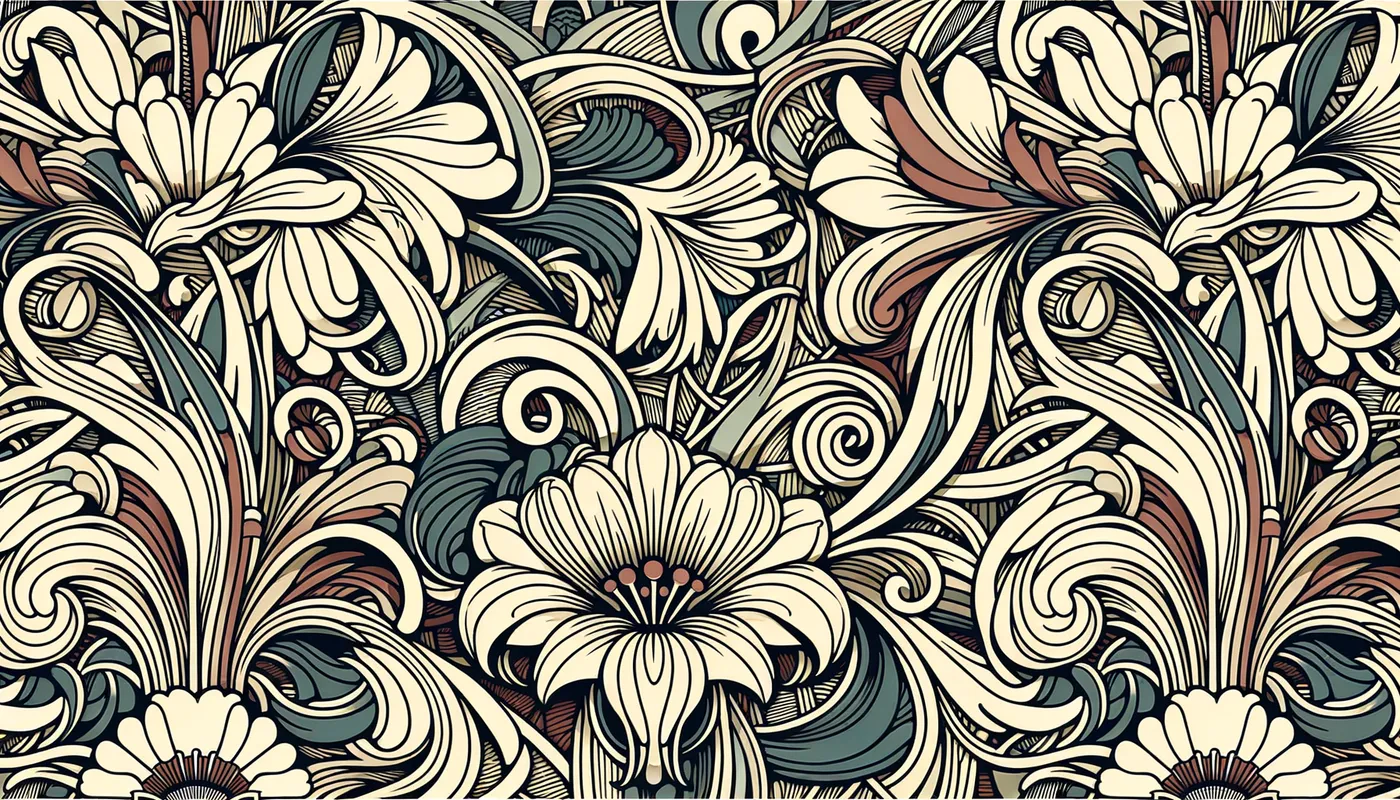
Art Nouveau Floral Repeat - AI Generated Image with Art

Art Nouveau Floral Repeat - Here are some short and well-described prompts for generating images like the one you provided, suitable for textile screen and block printing:
Focusing on Style and Technique:
 * "Detailed floral repeat pattern, art nouveau style, bold outlines, flat colors for screen printing." (Emphasizes the stylistic inspiration and printing technique)
 * "Dense botanical illustration, stylized flowers, seamless repeat, vector format, ready for block print." (Highlights the density, print readiness, and specific printing method)
 * "Art Deco floral design, geometric shapes, limited color palette, clean lines, repeat pattern for textile design." (Specifies a different art style and focuses on simplicity for printing)
Focusing on Content and Composition:
 * "All-over floral pattern, small scale, vintage botanical illustration, tightly packed, seamless repeat." (Describes the scale and arrangement of the design elements)
 * "Symmetrical floral medallion repeat, folk art style, bold colors, stylized leaves and flowers, textile pattern." (Specifies a layout and draws inspiration from folk art)
 * "Scattered wildflower pattern, delicate lines, watercolor effect, soft colors, repeat for fabric printing." (Suggests a more naturalistic and less dense composition)
Adding Specificity and Control:
 * "Repeat pattern, stylized roses and leaves, art nouveau style, two-color design, vector format for screen printing." (Adds specific floral elements and color constraints)
 * "Seamless repeat, geometric floral pattern, inspired by William Morris, bold lines, muted colors, suitable for block printing." (References a specific designer and provides color guidance)
 * "Dense floral repeat, small colorful flowers, black background, folk art style, vector format, ready for textile printing." (Specifies background color and desired output format)
Tips for Best Results:
 * Start simple: Begin with basic prompts and gradually add complexity.
 * Use specific art styles: Mentioning styles like "Art Nouveau," "Art Deco," or "William Morris" helps guide the aesthetic.
 * Specify the printing technique: Including "screen printing," "block printing," or "textile printing" helps tailor the output.
 * Control the color palette:  Mentioning "limited color palette," "bold colors," or specific colors can influence the results.
 * Specify the scale and density: Terms like "small scale," "large scale," "dense," or "scattered" affect the composition.
 * Iterate and refine: Use the initial results as a starting point and modify the prompts based on what you see.
By using these prompts as a starting point and experimenting with different keywords and phrases, you can generate a wide variety of floral repeat patterns suitable for textile screen and block printing. Remember to use the "zoom out" or "variation" features in your AI art generator to explore even more possibilities.
 - AI image generated with Art

Art Nouveau Floral Repeat

Here are some short and well-described prompts for generating images like the one you provided, suitable for textile screen and block printing: Focusing on Style and Technique: * "Detailed floral repeat pattern, art nouveau style, bold outlines, flat colors for screen printing." (Emphasizes the stylistic inspiration and printing technique) * "Dense botanical illustration, stylized flowers, seamless repeat, vector format, ready for block print." (Highlights the density, print readiness, and specific printing method) * "Art Deco floral design, geometric shapes, limited color palette, clean lines, repeat pattern for textile design." (Specifies a different art style and focuses on simplicity for printing) Focusing on Content and Composition: * "All-over floral pattern, small scale, vintage botanical illustration, tightly packed, seamless repeat." (Describes the scale and arrangement of the design elements) * "Symmetrical floral medallion repeat, folk art style, bold colors, stylized leaves and flowers, textile pattern." (Specifies a layout and draws inspiration from folk art) * "Scattered wildflower pattern, delicate lines, watercolor effect, soft colors, repeat for fabric printing." (Suggests a more naturalistic and less dense composition) Adding Specificity and Control: * "Repeat pattern, stylized roses and leaves, art nouveau style, two-color design, vector format for screen printing." (Adds specific floral elements and color constraints) * "Seamless repeat, geometric floral pattern, inspired by William Morris, bold lines, muted colors, suitable for block printing." (References a specific designer and provides color guidance) * "Dense floral repeat, small colorful flowers, black background, folk art style, vector format, ready for textile printing." (Specifies background color and desired output format) Tips for Best Results: * Start simple: Begin with basic prompts and gradually add complexity. * Use specific art styles: Mentioning styles like "Art Nouveau," "Art Deco," or "William Morris" helps guide the aesthetic. * Specify the printing technique: Including "screen printing," "block printing," or "textile printing" helps tailor the output. * Control the color palette: Mentioning "limited color palette," "bold colors," or specific colors can influence the results. * Specify the scale and density: Terms like "small scale," "large scale," "dense," or "scattered" affect the composition. * Iterate and refine: Use the initial results as a starting point and modify the prompts based on what you see. By using these prompts as a starting point and experimenting with different keywords and phrases, you can generate a wide variety of floral repeat patterns suitable for textile screen and block printing. Remember to use the "zoom out" or "variation" features in your AI art generator to explore even more possibilities.

Art, Size: 1792 x 1024
 37 Likes
 201 Views
⭐⭐⭐⭐⭐

The easiest to use GenAI app

Love that it's super easy to get started. No complicated UI or overwhelming screens. Just entered my prompt, added a few of the predefined effects, and that was it. I got several ideas to choose from, selected a few of the prompts and created beautiful images.

Similar AI-Generated Images

Discover more images created with similar styles, themes, and AI models


Frequently Asked Questions

Can I use the AI-generated images commercially?

Yes. All images created with Tangra AI are copyright-free and fully approved for commercial use, with no attribution required.

What AI models are used to create these images?

Tangra AI uses a curated mix of the best-performing industry models like Flux, DALL·E, Imagen, Nano Banana, and Stable Diffusion alongside our own proprietary models to deliver consistently high-quality, production-ready images.

Can I edit the images after they are generated?

Yes. Tangra AI includes powerful editing tools that let you refine and adjust your images after they're generated.