




Blue Office Handshake - AI Generated Image with Text

Blue Office Handshake - {
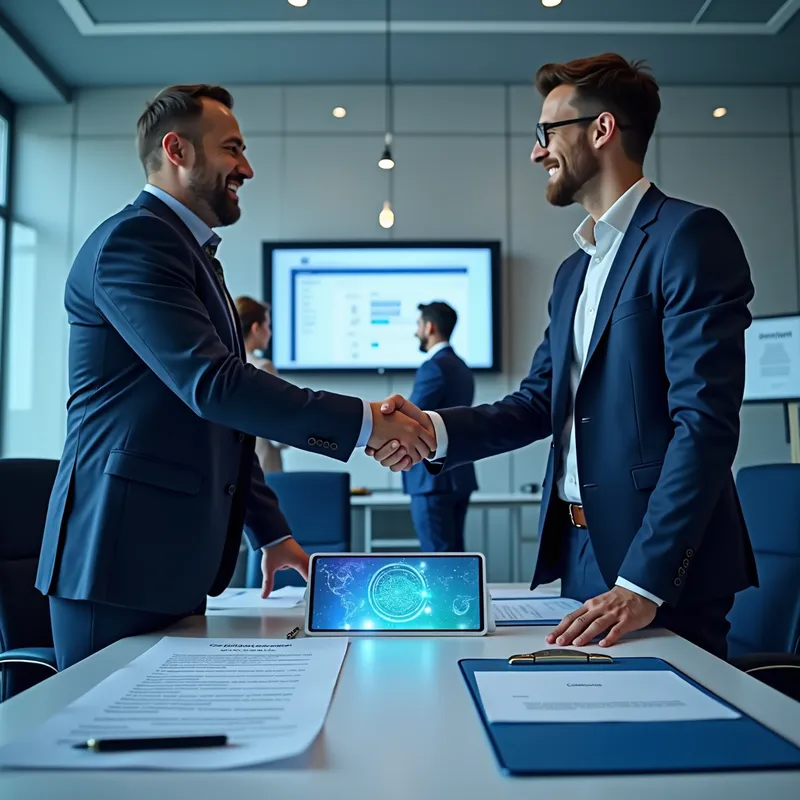
  "prompt": "A professional, high-quality photograph of a modern office environment with a dominant blue color scheme. The scene centers on two well-dressed business professionals (men) shaking hands over a desk, symbolizing agreement on a software license contract. On the desk, place a detailed software license document with holographic elements and a digital tablet displaying an APK file installation screen. Include subtle background elements: a team collaborating in a glass-walled meeting room (representing 'team'), a client profile visible on a computer monitor labeled 'Client Portal,' and a framed contract on a shelf. Ensure the office has contemporary decor (blue chairs, glass accents, soft lighting) and avoid diagrams, text labels, or educational aesthetics. Use realistic lighting with cool blue tones to emphasize trust and professionalism.",
  "key_elements": {
    "main_action": "Handshake between professionals",
    "documents": "Software license (holographic), contract on shelf",
    "digital_elements": "Tablet showing APK installation, client portal on monitor",
    "background": "Team in meeting room, modern office decor",
    "color_palette": "Dominant blues (navy, teal, steel) with neutral accents"
  },
  "style": "Realistic corporate photography, sharp focus, natural lighting",
  "restrictions": "No diagrams/cartoons, no overt text or arrows, avoid clutter"
} - AI image generated with Text

Blue Office Handshake

{ "prompt": "A professional, high-quality photograph of a modern office environment with a dominant blue color scheme. The scene centers on two well-dressed business professionals (men) shaking hands over a desk, symbolizing agreement on a software license contract. On the desk, place a detailed software license document with holographic elements and a digital tablet displaying an APK file installation screen. Include subtle background elements: a team collaborating in a glass-walled meeting room (representing 'team'), a client profile visible on a computer monitor labeled 'Client Portal,' and a framed contract on a shelf. Ensure the office has contemporary decor (blue chairs, glass accents, soft lighting) and avoid diagrams, text labels, or educational aesthetics. Use realistic lighting with cool blue tones to emphasize trust and professionalism.", "key_elements": { "main_action": "Handshake between professionals", "documents": "Software license (holographic), contract on shelf", "digital_elements": "Tablet showing APK installation, client portal on monitor", "background": "Team in meeting room, modern office decor", "color_palette": "Dominant blues (navy, teal, steel) with neutral accents" }, "style": "Realistic corporate photography, sharp focus, natural lighting", "restrictions": "No diagrams/cartoons, no overt text or arrows, avoid clutter" }

Text, Size: 1024 x 1024
 3 Likes
 30 Views
⭐⭐⭐⭐⭐
As a small business owner, I don't have a large budget for graphic design. Tangra AI Image Generator has been a game-changer for me! I can create beautiful images in seconds for all my marketing needs, from social media posts to event flyers, holiday cards, and slides. Highly recommend it to anyone who wants their brand to stand out!

Similar AI-Generated Images

Discover more images created with similar styles, themes, and AI models


Frequently Asked Questions

Can I use the AI-generated images commercially?

Yes. All images created with Tangra AI are copyright-free and fully approved for commercial use, with no attribution required.

What AI models are used to create these images?

Tangra AI uses a curated mix of the best-performing industry models like Flux, DALL·E, Imagen, Nano Banana, and Stable Diffusion alongside our own proprietary models to deliver consistently high-quality, production-ready images.

Can I edit the images after they are generated?

Yes. Tangra AI includes powerful editing tools that let you refine and adjust your images after they're generated.