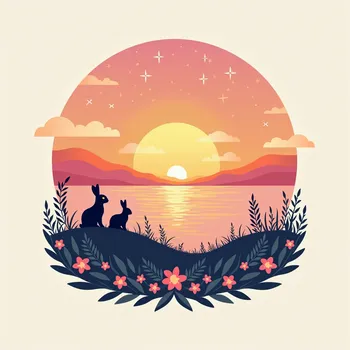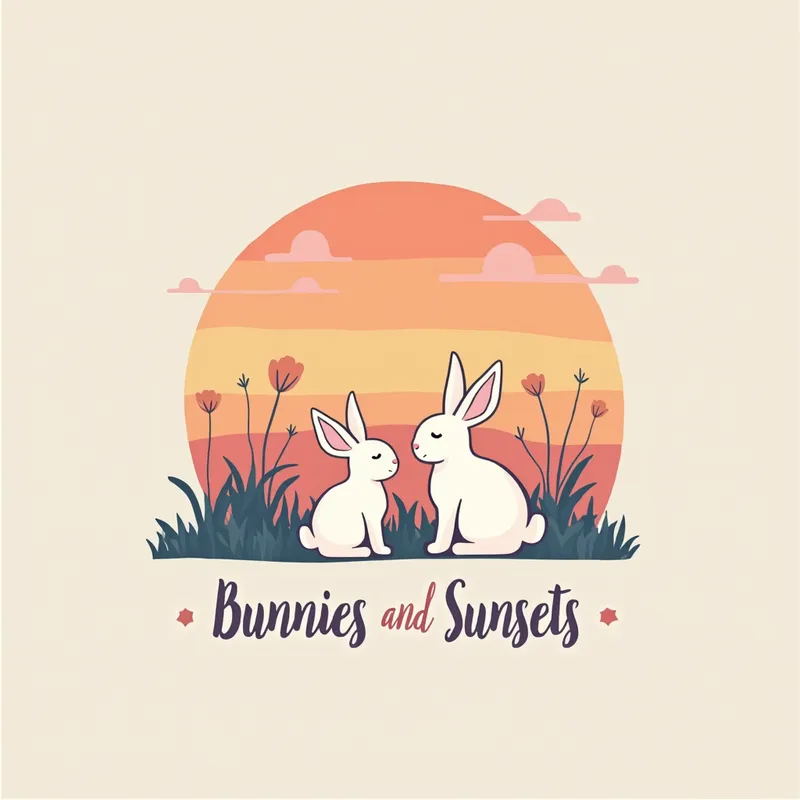
Bunnies & Sunsets Logo - AI Generated Image with Text

Bunnies & Sunsets Logo - design a logo for your Instagram page “Bunnies and Sunsets” that has pastel colors and an artsy vibe. Here’s a step-by-step idea:

1. Color Palette:
	•	Pastel Shades: Soft pinks, peach, baby blue, and light yellow. And colourful shades of orange, red, purple and yellow for sunset.

2. Elements:
	•	Bunny Illustration: A simple, delicate silhouette of bunnies. Think of a bunny sitting or looking up towards the sky

3. Design Style:
	•	Artsy and Fluid: Go for flowing, organic lines, and gentle curves. The illustration should feel whimsical and relaxed.
	•	Minimalist Approach: Keep the design simple and clean. Avoid too many details that might overcrowd the look.

4. Typography:
	•	Font Style: Choose a graffity style, pastel cours for the text “Bunnies and Sunsets.” Ensure it’s legible but also should match the artsy vibe.
	•	Text Placement: Place the text either below or above or all across the illustration.

5. Additional Ideas:
	•	Incorporate subtle touches like stars or clouds to enhance the dreamy feel. - AI image generated with Text

Bunnies & Sunsets Logo

design a logo for your Instagram page “Bunnies and Sunsets” that has pastel colors and an artsy vibe. Here’s a step-by-step idea: 1. Color Palette: • Pastel Shades: Soft pinks, peach, baby blue, and light yellow. And colourful shades of orange, red, purple and yellow for sunset. 2. Elements: • Bunny Illustration: A simple, delicate silhouette of bunnies. Think of a bunny sitting or looking up towards the sky 3. Design Style: • Artsy and Fluid: Go for flowing, organic lines, and gentle curves. The illustration should feel whimsical and relaxed. • Minimalist Approach: Keep the design simple and clean. Avoid too many details that might overcrowd the look. 4. Typography: • Font Style: Choose a graffity style, pastel cours for the text “Bunnies and Sunsets.” Ensure it’s legible but also should match the artsy vibe. • Text Placement: Place the text either below or above or all across the illustration. 5. Additional Ideas: • Incorporate subtle touches like stars or clouds to enhance the dreamy feel.

Text, Size: 1024 x 1024
 1 Likes
 5 Views
⭐⭐⭐⭐⭐

Above AND Beyond

In the beginning...I wasn't to sure if this thing was gonna fly! Then I thought about the Wright Brothers. they weren't sure they were gonna get off the ground either. but once I finally got off the tarmac onto runway 1 and was cleared to go my status quickly went from Student pilot, right on up to Astronaut! 'Tangra AI Image Generator' Has proven its self to me, to be way ABOVE and BEYOND, any other AI Image Generator ever created. And I have tried a bunch! I tip my hat to the 'support team'. They are quicker to respond than my Mustang is at the strip (and its FAST). What I'm try'n to say is get the app. you will NOT REGRET IT.

Similar AI-Generated Images

Discover more images created with similar styles, themes, and AI models


Frequently Asked Questions

Can I use the AI-generated images commercially?

Yes. All images created with Tangra AI are copyright-free and fully approved for commercial use, with no attribution required.

What AI models are used to create these images?

Tangra AI uses a curated mix of the best-performing industry models like Flux, DALL·E, Imagen, Nano Banana, and Stable Diffusion alongside our own proprietary models to deliver consistently high-quality, production-ready images.

Can I edit the images after they are generated?

Yes. Tangra AI includes powerful editing tools that let you refine and adjust your images after they're generated.