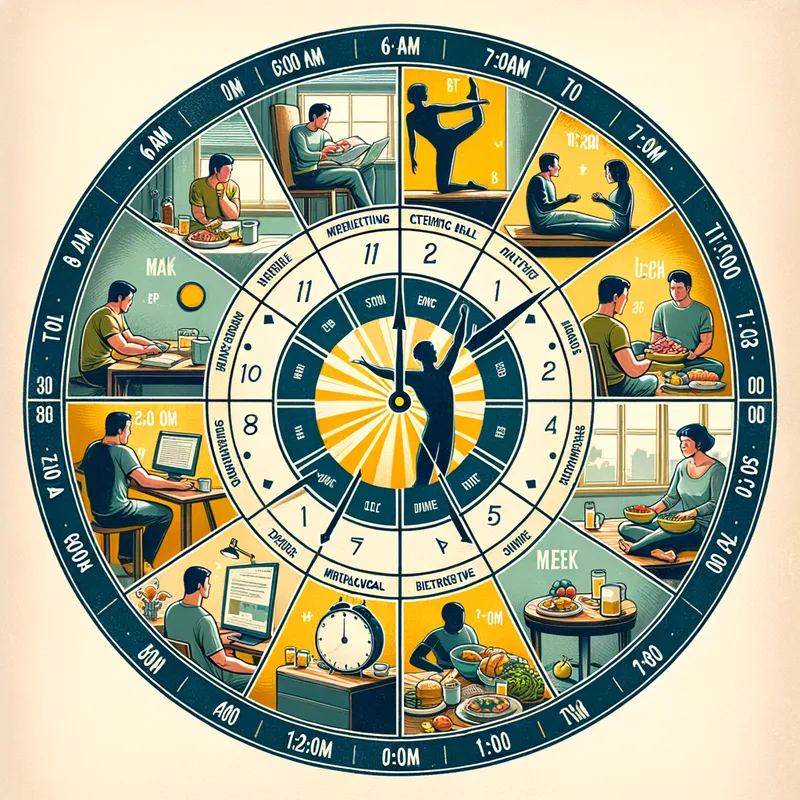
ChronoClock: Daily Activities - AI Generated Image with Art

ChronoClock: Daily Activities - Create a chronobiological clock image with the following activities:
6:00 AM - 7:00 AM: Wake up and stretch

Ideal time to take advantage of sunlight and activate the body with some stretches.

7:00 AM - 8:00 AM: Healthy breakfast

Important to recharge energy with a nutritious breakfast.

8:00 AM - 10:00 AM: Intensive study

The first hours of the day are optimal for concentration and learning.

10:00 AM - 11:00 AM: Active break

A short walk or light exercise to recharge energy.

11:00 AM - 1:00 PM: Continuation of study

Take advantage of the second peak of concentration.

1:00 PM - 2:00 PM: Lunch and rest

Eat a balanced lunch and take a short break.

2:00 PM - 3:00 PM: Practical activities

Work on projects or practical tasks when energy levels rise again.

3:00 PM - 5:00 PM: Moderate study or tasks

Ideal for tasks that do not require intense concentration.

5:00 PM - 6:00 PM: Physical activity

Exercise to relieve stress and improve physical well-being.

6:00 PM - 7:00 PM: Light dinner

Eat something light to avoid interfering with sleep.

7:00 PM - 9:00 PM: Light study or reading

Spend time on more relaxed reading or review.

9:00 PM - 10:00 PM: Time to relax

Relax with a hot shower, meditation, or a quiet activity.

10:00 PM - 11:00 PM: Prepare for sleep

Disconnect from electronic devices and prepare the body for rest.

11:00 PM - 6:00 AM: Sleep

Ensure sufficient sleep to recover energy for the next day. - AI image generated with Art

ChronoClock: Daily Activities

Create a chronobiological clock image with the following activities: 6:00 AM - 7:00 AM: Wake up and stretch Ideal time to take advantage of sunlight and activate the body with some stretches. 7:00 AM - 8:00 AM: Healthy breakfast Important to recharge energy with a nutritious breakfast. 8:00 AM - 10:00 AM: Intensive study The first hours of the day are optimal for concentration and learning. 10:00 AM - 11:00 AM: Active break A short walk or light exercise to recharge energy. 11:00 AM - 1:00 PM: Continuation of study Take advantage of the second peak of concentration. 1:00 PM - 2:00 PM: Lunch and rest Eat a balanced lunch and take a short break. 2:00 PM - 3:00 PM: Practical activities Work on projects or practical tasks when energy levels rise again. 3:00 PM - 5:00 PM: Moderate study or tasks Ideal for tasks that do not require intense concentration. 5:00 PM - 6:00 PM: Physical activity Exercise to relieve stress and improve physical well-being. 6:00 PM - 7:00 PM: Light dinner Eat something light to avoid interfering with sleep. 7:00 PM - 9:00 PM: Light study or reading Spend time on more relaxed reading or review. 9:00 PM - 10:00 PM: Time to relax Relax with a hot shower, meditation, or a quiet activity. 10:00 PM - 11:00 PM: Prepare for sleep Disconnect from electronic devices and prepare the body for rest. 11:00 PM - 6:00 AM: Sleep Ensure sufficient sleep to recover energy for the next day.

Art, Size: 1024 x 1024
 8 Likes
 48 Views
⭐⭐⭐⭐⭐
As a small business owner, I don't have a large budget for graphic design. Tangra AI Image Generator has been a game-changer for me! I can create beautiful images in seconds for all my marketing needs, from social media posts to event flyers, holiday cards, and slides. Highly recommend it to anyone who wants their brand to stand out!

Similar AI-Generated Images

Discover more images created with similar styles, themes, and AI models


Frequently Asked Questions

Can I use the AI-generated images commercially?

Yes. All images created with Tangra AI are copyright-free and fully approved for commercial use, with no attribution required.

What AI models are used to create these images?

Tangra AI uses a curated mix of the best-performing industry models like Flux, DALL·E, Imagen, Nano Banana, and Stable Diffusion alongside our own proprietary models to deliver consistently high-quality, production-ready images.

Can I edit the images after they are generated?

Yes. Tangra AI includes powerful editing tools that let you refine and adjust your images after they're generated.