Elegant Eat Express Menu - AI Generated Image with Photorealistic 2

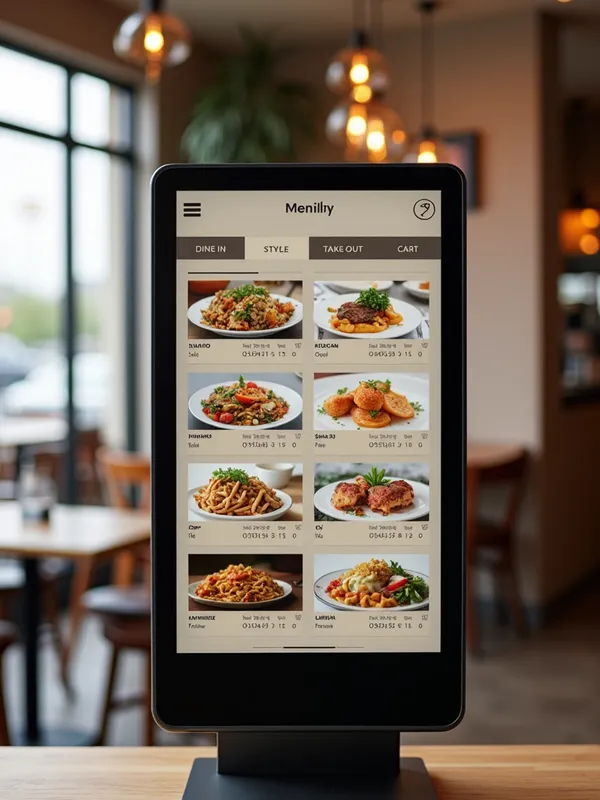
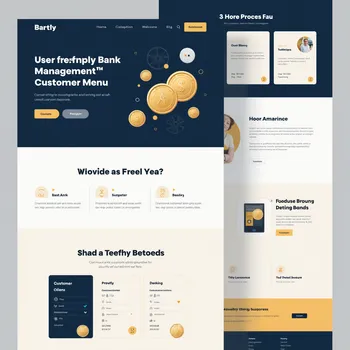
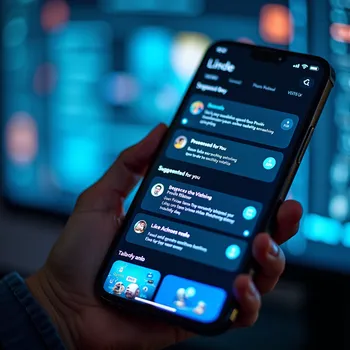
Elegant Eat Express Menu - We need a modern and minimalist design for a 21.5-inch touchscreen in a restaurant environment. The system is generic but customized for each restaurant through logo and menu. The following requirements and preferences should be considered:

General Requirements

    Target Audience: The design should work for a mixed audience, from young adults to seniors. It should be intuitive and easy to use for everyone.
    Style: Minimalist, luxurious, and professional. Use neutral colors and elegant lines complemented by the restaurant's logo.
    Branding: The system should feel tailored for each restaurant but include the "eatexpress.se" logo clearly on each screen.

Flow and Features

    Home Page:
        A clear button with the text "ORDER HERE" that takes the user to the next step.
        The restaurant's logo visible.

    Dining Style Selection:
        Options for "DINE IN" or "TAKE OUT" presented in a visual layout with elegant icons.

    Menu Flow:
        Categories displayed as large, clear buttons with icons and images.
        After selecting a category, dishes are shown with images and prices in a grid format.

    Dish Details:
        Ability to customize the dish (e.g., extra sauces, add-ons).
        Upselling presented in an optimized format, such as visual cards that can be scrolled horizontally, instead of a list.

    Cart and Checkout:
        A clear and simple cart page with the option to return to the menu.
        Payment options: card, Swish, or Klarna.

    Language:
        Default is Swedish, but an icon to change the language should be easily accessible on each screen.

Design Instructions

    Icons:
        Use elegant, minimalist icons with thin lines and neutral colors.
        Example: a plate for "DINE IN," a take-out bag for "TAKE OUT."

    Typography:
        Use a modern sans-serif font for readability, such as "Roboto" or similar.
        Important headings should be larger and bold, while instruction text should be discreet but clear.

    Usability:
        The design should support large touch areas for easy interaction.
        Animate transitions subtly to provide a seamless feel (e.g., when selecting a category or cart).

    Upselling:
        Use a horizontal scrolling format with images and a short description of add-ons.
        Prioritize products that best complement the selected dish.

    Accessibility:
        Include high-contrast colors and a function to enlarge text for users with impaired vision.

Platform: The system is developed in Android and should therefore be compatible with Android-specific design principles. - AI image generated with Photorealistic 2

Elegant Eat Express Menu

We need a modern and minimalist design for a 21.5-inch touchscreen in a restaurant environment. The system is generic but customized for each restaurant through logo and menu. The following requirements and preferences should be considered: General Requirements Target Audience: The design should work for a mixed audience, from young adults to seniors. It should be intuitive and easy to use for everyone. Style: Minimalist, luxurious, and professional. Use neutral colors and elegant lines complemented by the restaurant's logo. Branding: The system should feel tailored for each restaurant but include the "eatexpress.se" logo clearly on each screen. Flow and Features Home Page: A clear button with the text "ORDER HERE" that takes the user to the next step. The restaurant's logo visible. Dining Style Selection: Options for "DINE IN" or "TAKE OUT" presented in a visual layout with elegant icons. Menu Flow: Categories displayed as large, clear buttons with icons and images. After selecting a category, dishes are shown with images and prices in a grid format. Dish Details: Ability to customize the dish (e.g., extra sauces, add-ons). Upselling presented in an optimized format, such as visual cards that can be scrolled horizontally, instead of a list. Cart and Checkout: A clear and simple cart page with the option to return to the menu. Payment options: card, Swish, or Klarna. Language: Default is Swedish, but an icon to change the language should be easily accessible on each screen. Design Instructions Icons: Use elegant, minimalist icons with thin lines and neutral colors. Example: a plate for "DINE IN," a take-out bag for "TAKE OUT." Typography: Use a modern sans-serif font for readability, such as "Roboto" or similar. Important headings should be larger and bold, while instruction text should be discreet but clear. Usability: The design should support large touch areas for easy interaction. Animate transitions subtly to provide a seamless feel (e.g., when selecting a category or cart). Upselling: Use a horizontal scrolling format with images and a short description of add-ons. Prioritize products that best complement the selected dish. Accessibility: Include high-contrast colors and a function to enlarge text for users with impaired vision. Platform: The system is developed in Android and should therefore be compatible with Android-specific design principles.
Photorealistic 2, Size: 768 x 1024
 0 Likes
 1 Views
⭐⭐⭐⭐⭐

Stunning photorealistic visuals

It takes only a few seconds of browsing through the images already created by others to see the quality. I was specifically interested in portraits that are super realistic, almost like photographs. And the ones I'm able to create in Tangra are amazing! Just search up “portrait” and you’ll see what I mean.

Similar AI-Generated Images

Discover more images created with similar styles, themes, and AI models


Frequently Asked Questions

Can I use the AI-generated images commercially?

Yes. All images created with Tangra AI are copyright-free and fully approved for commercial use, with no attribution required.

What AI models are used to create these images?

Tangra AI uses a curated mix of the best-performing industry models like Flux, DALL·E, Imagen, Nano Banana, and Stable Diffusion alongside our own proprietary models to deliver consistently high-quality, production-ready images.

Can I edit the images after they are generated?

Yes. Tangra AI includes powerful editing tools that let you refine and adjust your images after they're generated.