
My-Tie Date Party Sorority Banner - AI Generated Image with Art

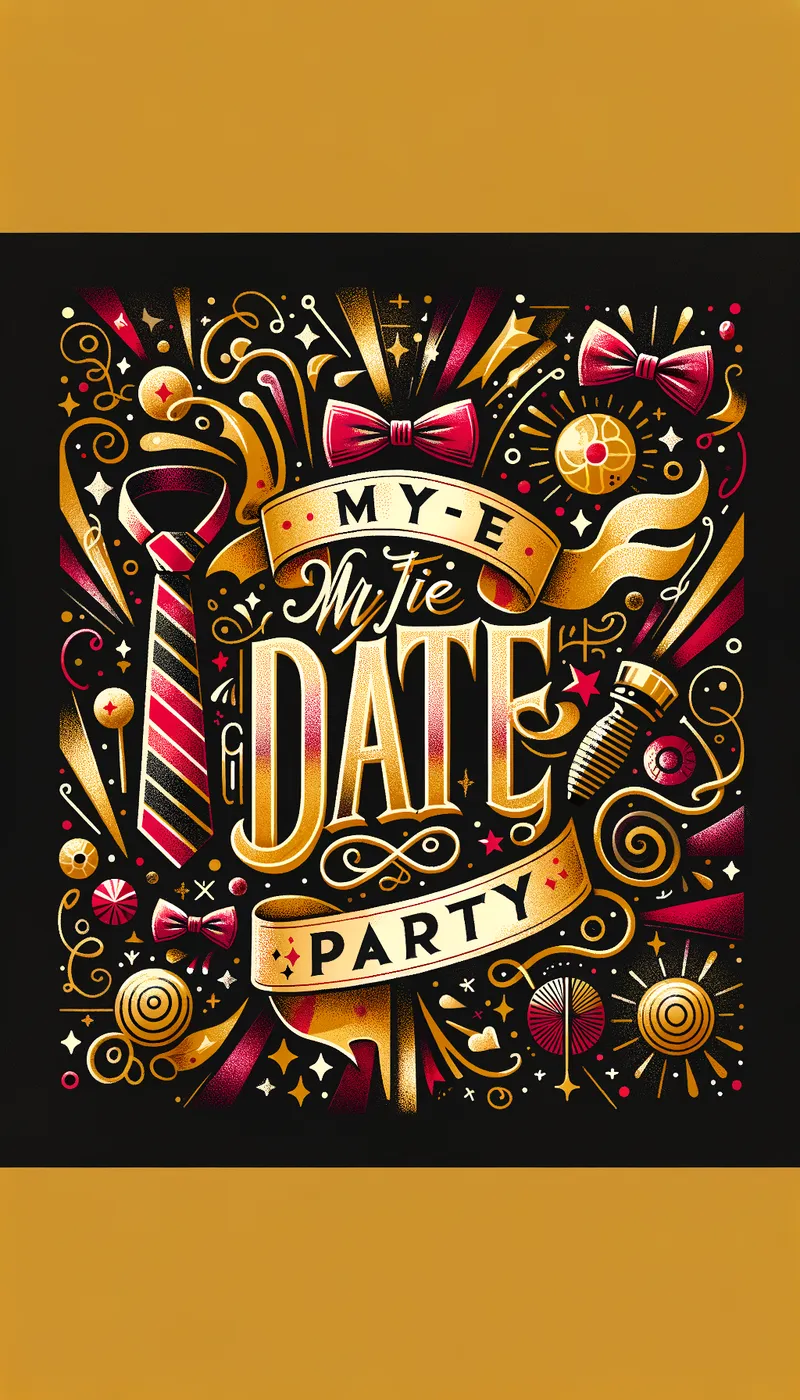
My-Tie Date Party Sorority Banner - Create an image of a vibrant and festive sorority banner for a 'My-Tie Date Party'. The banner should feature elegant typography with a playful and glamorous vibe. Include elements like neckties, glitter, and confetti to emphasize the theme. Use a color palette that combines gold, black, and a pop of a bright color like red or purple. The overall style should be lively and inviting, perfect for a fun sorority event. - AI image generated with Art

My-Tie Date Party Sorority Banner

Create an image of a vibrant and festive sorority banner for a 'My-Tie Date Party'. The banner should feature elegant typography with a playful and glamorous vibe. Include elements like neckties, glitter, and confetti to emphasize the theme. Use a color palette that combines gold, black, and a pop of a bright color like red or purple. The overall style should be lively and inviting, perfect for a fun sorority event.

Art, Size: 1024 x 1792
 2 Likes
 32 Views
⭐⭐⭐⭐⭐

The easiest to use GenAI app

Love that it's super easy to get started. No complicated UI or overwhelming screens. Just entered my prompt, added a few of the predefined effects, and that was it. I got several ideas to choose from, selected a few of the prompts and created beautiful images.

Similar AI-Generated Images

Discover more images created with similar styles, themes, and AI models


Frequently Asked Questions

Can I use the AI-generated images commercially?

Yes. All images created with Tangra AI are copyright-free and fully approved for commercial use, with no attribution required.

What AI models are used to create these images?

Tangra AI uses a curated mix of the best-performing industry models like Flux, DALL·E, Imagen, Nano Banana, and Stable Diffusion alongside our own proprietary models to deliver consistently high-quality, production-ready images.

Can I edit the images after they are generated?

Yes. Tangra AI includes powerful editing tools that let you refine and adjust your images after they're generated.