Sunrise Sovereign - AI Generated Image with Art

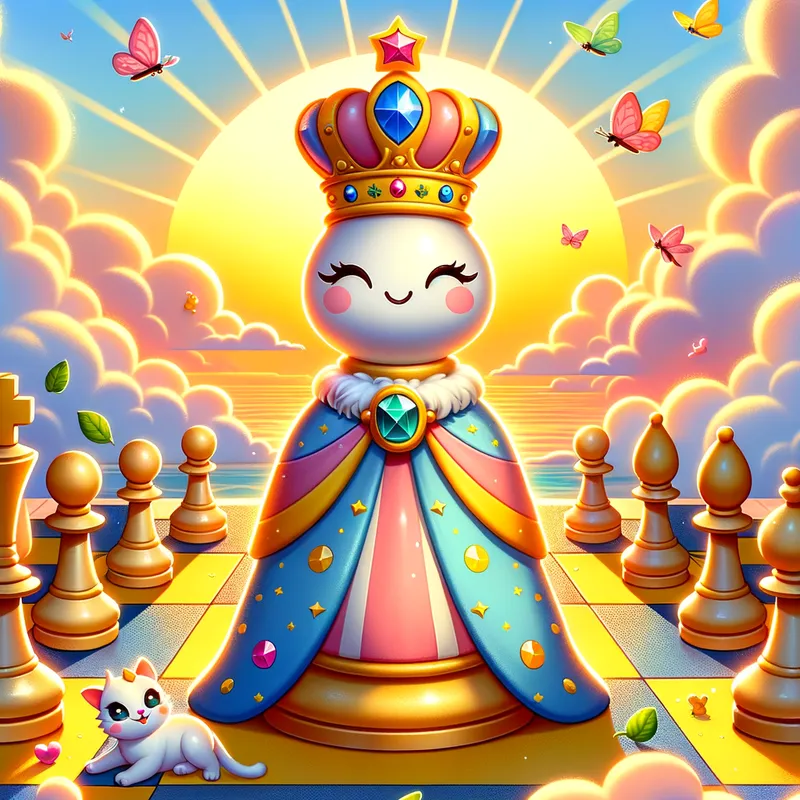
Sunrise Sovereign - a giant chessboard bathed in the warm glow of a rising sun. The squares are large and contrasting, bursting with a cheerful color palette – sunshine yellow on one side and sky blue on the other. In the center of this vibrant scene sits the queen chess piece, ready to steal the show.
Crafted in a cartoony and adorable style, the queen is short and stout, with a wide base for stability and a playful, friendly face. Adorn it with mismatched, brightly colored jewels. To add a touch of elegance, drape a flowing robe over the queen's base, using the contrasting color from its half of the board. Let the robe be adorned with a playful pattern like polka dots or stars for extra charm.
To infuse the scene with magic, fluffy clouds tinged with sunrise hues can drift around the queen's base. Tiny butterflies fluttering near her mismatched crown add another layer of whimsy. Don't forget the friendly animals – playful kittens or puppies peeking out from behind squares or nudging the queen's base would be a delightful addition.
The perspective should be a three-quarter view, allowing us to see the queen's playful crown, friendly expression, and the elegant drape of its robe. To create a dynamic composition, use a mid-shot, showcasing the queen as the central figure while still capturing the contrasting squares of the chessboard and the playful details surrounding it. bold outlines and flat colors are key to achieving that captivating cartoony style.
Finally, consider add a subtle suggestion of a face on the front of the queen piece, complete with big, friendly eyes and a warm smile. To finish it off, a slight tilt to one side can add a touch of personality and dynamism to the queen's pose. - AI image generated with Art - profile view, cartoony, three-quarter view

Sunrise Sovereign

a giant chessboard bathed in the warm glow of a rising sun. The squares are large and contrasting, bursting with a cheerful color palette – sunshine yellow on one side and sky blue on the other. In the center of this vibrant scene sits the queen chess piece, ready to steal the show. Crafted in a cartoony and adorable style, the queen is short and stout, with a wide base for stability and a playful, friendly face. Adorn it with mismatched, brightly colored jewels. To add a touch of elegance, drape a flowing robe over the queen's base, using the contrasting color from its half of the board. Let the robe be adorned with a playful pattern like polka dots or stars for extra charm. To infuse the scene with magic, fluffy clouds tinged with sunrise hues can drift around the queen's base. Tiny butterflies fluttering near her mismatched crown add another layer of whimsy. Don't forget the friendly animals – playful kittens or puppies peeking out from behind squares or nudging the queen's base would be a delightful addition. The perspective should be a three-quarter view, allowing us to see the queen's playful crown, friendly expression, and the elegant drape of its robe. To create a dynamic composition, use a mid-shot, showcasing the queen as the central figure while still capturing the contrasting squares of the chessboard and the playful details surrounding it. bold outlines and flat colors are key to achieving that captivating cartoony style. Finally, consider add a subtle suggestion of a face on the front of the queen piece, complete with big, friendly eyes and a warm smile. To finish it off, a slight tilt to one side can add a touch of personality and dynamism to the queen's pose.

profile view
styles-cartoony
three-quarter view
Art, Size: 1024 x 1024
 58 Likes
 383 Views
⭐⭐⭐⭐⭐

The easiest to use GenAI app

Love that it's super easy to get started. No complicated UI or overwhelming screens. Just entered my prompt, added a few of the predefined effects, and that was it. I got several ideas to choose from, selected a few of the prompts and created beautiful images.

Similar AI-Generated Images

Discover more images created with similar styles, themes, and AI models


Frequently Asked Questions

Can I use the AI-generated images commercially?

Yes. All images created with Tangra AI are copyright-free and fully approved for commercial use, with no attribution required.

What AI models are used to create these images?

Tangra AI uses a curated mix of the best-performing industry models like Flux, DALL·E, Imagen, Nano Banana, and Stable Diffusion alongside our own proprietary models to deliver consistently high-quality, production-ready images.

Can I edit the images after they are generated?

Yes. Tangra AI includes powerful editing tools that let you refine and adjust your images after they're generated.