Tucunaré Aquatic Leap - AI Generated Image with Text

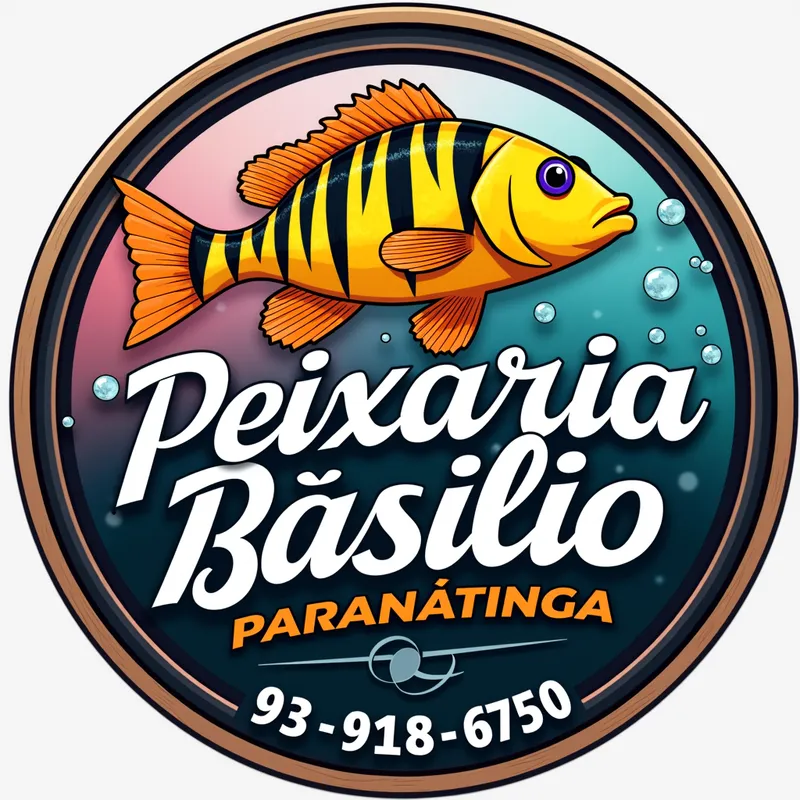
Tucunaré Aquatic Leap - Create an image with the following characteristics:  
1. A circle with a gradient background transitioning from pink (bottom-left) to blue (top-right), with soft shadows and subtle water-like texture to reinforce the aquatic theme.  
2. In the center, feature a Tucunaré fish in a dynamic pose, as if jumping above the water. The fish should have yellow as the dominant color, with black vertical stripes and orange fins, displaying detailed texture, visible scales, and subtle reflections to highlight its wet appearance.  
3. Add small water bubbles around the fish, with varying sizes, transparency, and internal light reflections for realism.  
4. Include a small glow around the fish and text, balancing visual emphasis between the two.  
5. At the bottom of the circle, include bold, slightly curved handwritten text: 'PEIXARIA DO BASILIO' in white, with 'DO' in small letters between 'PEIXARIA' and 'BASILIO,' and 'PARANATINGA' in orange. Use a dark outline for the text with subtle gradient and texture effects.  
6. Add a black border around the circle with visible wood texture and a thin internal border of natural wood color for sophistication.  
7. Include the phone number "(93) 99184-6750" in the lower-right corner, below "PARANATINGA," in a standout color like light green or vibrant blue for visibility, with a clean font that doesn’t compete with the main text.  

**Restrictions:**  
- Do not add other animals or objects.  
- Use only the specified colors.  
- Maintain sharpness and avoid distortion.  
**Image size:** 1024x1024 pixels. - AI image generated with Text

Tucunaré Aquatic Leap

Create an image with the following characteristics: 1. A circle with a gradient background transitioning from pink (bottom-left) to blue (top-right), with soft shadows and subtle water-like texture to reinforce the aquatic theme. 2. In the center, feature a Tucunaré fish in a dynamic pose, as if jumping above the water. The fish should have yellow as the dominant color, with black vertical stripes and orange fins, displaying detailed texture, visible scales, and subtle reflections to highlight its wet appearance. 3. Add small water bubbles around the fish, with varying sizes, transparency, and internal light reflections for realism. 4. Include a small glow around the fish and text, balancing visual emphasis between the two. 5. At the bottom of the circle, include bold, slightly curved handwritten text: 'PEIXARIA DO BASILIO' in white, with 'DO' in small letters between 'PEIXARIA' and 'BASILIO,' and 'PARANATINGA' in orange. Use a dark outline for the text with subtle gradient and texture effects. 6. Add a black border around the circle with visible wood texture and a thin internal border of natural wood color for sophistication. 7. Include the phone number "(93) 99184-6750" in the lower-right corner, below "PARANATINGA," in a standout color like light green or vibrant blue for visibility, with a clean font that doesn’t compete with the main text. **Restrictions:** - Do not add other animals or objects. - Use only the specified colors. - Maintain sharpness and avoid distortion. **Image size:** 1024x1024 pixels.

Text, Size: 1024 x 1024
 1 Likes
 8 Views
⭐⭐⭐⭐⭐

Good Inspiration

Used it during the 1 Day Free Trial and was able to come up with a good amount of cool illustrations. This is an awesome platform to get inspiration when you catch yourself in a mental freeze. Currently on the $5 monthly plan but am already thinking about an upgrade to see how much more I can get out of it. Won't hurt to try it.

Similar AI-Generated Images

Discover more images created with similar styles, themes, and AI models


Frequently Asked Questions

Can I use the AI-generated images commercially?

Yes. All images created with Tangra AI are copyright-free and fully approved for commercial use, with no attribution required.

What AI models are used to create these images?

Tangra AI uses a curated mix of the best-performing industry models like Flux, DALL·E, Imagen, Nano Banana, and Stable Diffusion alongside our own proprietary models to deliver consistently high-quality, production-ready images.

Can I edit the images after they are generated?

Yes. Tangra AI includes powerful editing tools that let you refine and adjust your images after they're generated.