Waiting in Silence - AI Generated Image with Art

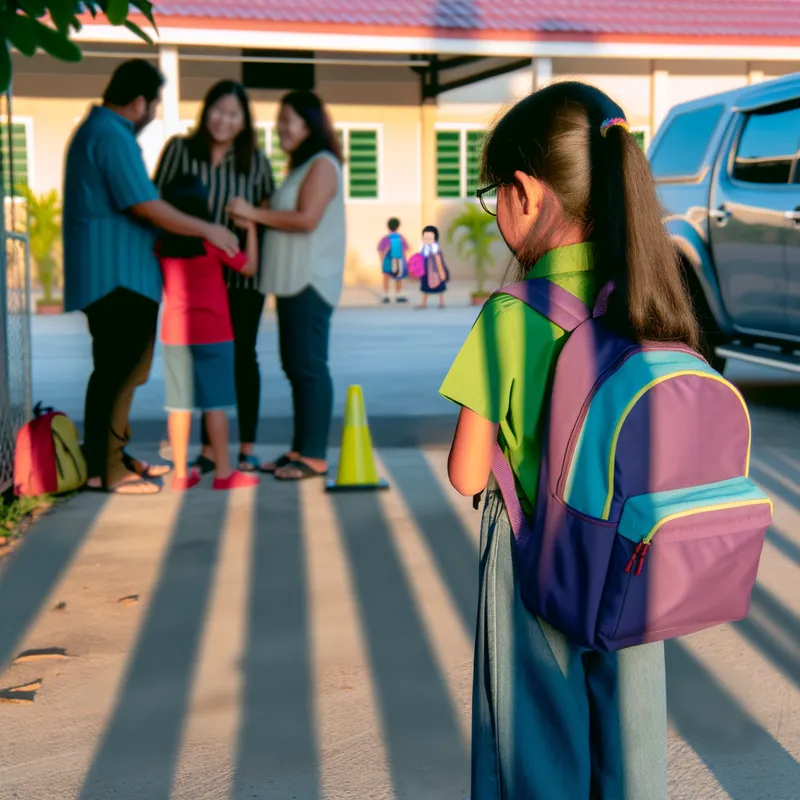
Waiting in Silence - A young girl with a school bag stands silently near the school gate, observing her friends reuniting with their parents with joy. She appears sad and alone, holding the straps of her backpack tightly. The golden afternoon sunlight creates long shadows, emphasizing the warmth of family hugs compared to her isolation. The backdrop shows a school building, some trees, and kids happily talking with their parents near their cars. - AI image generated with Art - cartoony

More like this

Waiting in Silence

A young girl with a school bag stands silently near the school gate, observing her friends reuniting with their parents with joy. She appears sad and alone, holding the straps of her backpack tightly. The golden afternoon sunlight creates long shadows, emphasizing the warmth of family hugs compared to her isolation. The backdrop shows a school building, some trees, and kids happily talking with their parents near their cars.

Art, Size: 1024 x 1024
 3 Likes
 145 Views

Make your own version

Start from this image's prompt and change anything you like.

Art
⭐⭐⭐⭐⭐

The easiest to use GenAI app

“Love that it's super easy to get started. No complicated UI or overwhelming screens. Just entered my prompt, added a few of the predefined effects, and that was it. I got several ideas to choose from, selected a few of the prompts and created beautiful images.”
— Naomi

Frequently Asked Questions

Can I use the AI-generated images commercially?

Yes. All images created with Tangra AI are copyright-free and fully approved for commercial use, with no attribution required.

What AI models are used to create these images?

Tangra AI uses a curated mix of the best-performing industry models like Flux, DALL·E, Nano Banana 2, and Stable Diffusion alongside our own proprietary models to deliver consistently high-quality, production-ready images.

Can I edit the images after they are generated?

Yes. Tangra AI includes powerful editing tools that let you refine and adjust your images after they're generated.