Harmonious Qigong - AI Generated Image with Photorealistic 2

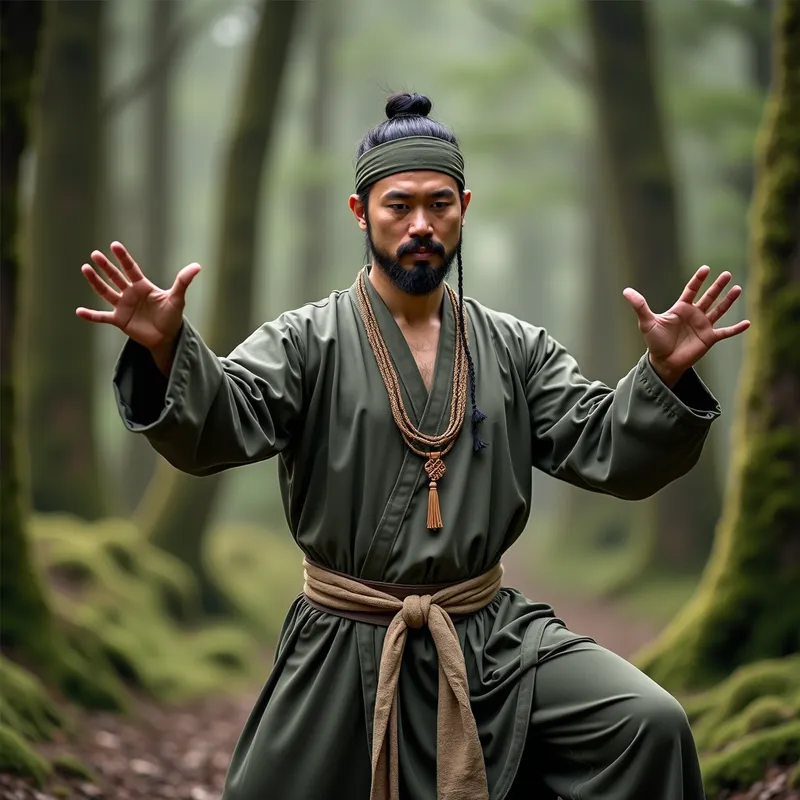
Harmonious Qigong - A hyper-realistic, professional photograph featuring a man practicing a standing Qigong exercise in a 90s mossy forest. The image, taken with a Canon 1DX Mark III, highlights ultra-detailed ethnic attire, a traditional headband, and necklace. The earthy tones, natural makeup, and bloomcore effect create a serene, photorealistic scene with unmatched detail and realism. - AI image generated with Photorealistic 2

Harmonious Qigong

A hyper-realistic, professional photograph featuring a man practicing a standing Qigong exercise in a 90s mossy forest. The image, taken with a Canon 1DX Mark III, highlights ultra-detailed ethnic attire, a traditional headband, and necklace. The earthy tones, natural makeup, and bloomcore effect create a serene, photorealistic scene with unmatched detail and realism.

Photorealistic 2, Size: 1024 x 1024
 93 Likes
 1054 Views
⭐⭐⭐⭐⭐
I had the opportunity to explore the excellent Tangra AI image generator. Among the many image generators I've encountered, this one stands out as one of the best. The quality and creativity it offers are truly impressive. As someone deeply interested in this field, I can't wait to see how it evolves and becomes accessible to a wider audience. Thank you for developing such a remarkable tool!

Similar AI-Generated Images

Discover more images created with similar styles, themes, and AI models


Frequently Asked Questions

Can I use the AI-generated images commercially?

Yes. All images created with Tangra AI are copyright-free and fully approved for commercial use, with no attribution required.

What AI models are used to create these images?

Tangra AI uses a curated mix of the best-performing industry models like Flux, DALL·E, Imagen, Nano Banana, and Stable Diffusion alongside our own proprietary models to deliver consistently high-quality, production-ready images.

Can I edit the images after they are generated?

Yes. Tangra AI includes powerful editing tools that let you refine and adjust your images after they're generated.