Woodland Tranquility - AI Generated Image with Photorealistic 2

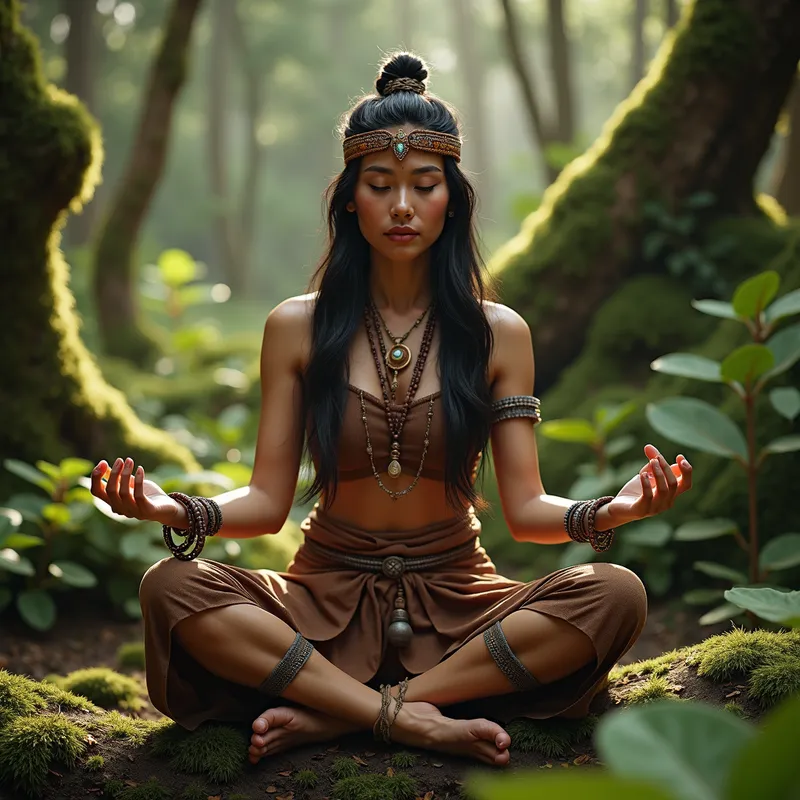
Woodland Tranquility - In the heart of a lush, mossy woodland, a serene North-American indigenous woman is captured mid-Qigong exercise. Her only adornments are leather footwear, intricately designed bracelets, and a traditional headband. The earth tones of the surroundings highlight her Amerindian facial features in a photorealistic depiction. This 8K hyper-realistic image is rendered using Unreal Engine 5 and Octane Render, captured through a Canon 1DX Mark III with a 35mm lens. - AI image generated with Photorealistic 2

Woodland Tranquility

In the heart of a lush, mossy woodland, a serene North-American indigenous woman is captured mid-Qigong exercise. Her only adornments are leather footwear, intricately designed bracelets, and a traditional headband. The earth tones of the surroundings highlight her Amerindian facial features in a photorealistic depiction. This 8K hyper-realistic image is rendered using Unreal Engine 5 and Octane Render, captured through a Canon 1DX Mark III with a 35mm lens.

Photorealistic 2, Size: 1024 x 1024
 96 Likes
 1025 Views
⭐⭐⭐⭐⭐
It is fantastic that you provide several opportunities to gain credits, because this way users will come back again and again. Especially enjoyable to gain credits via playing, this makes it double fun!

Similar AI-Generated Images

Discover more images created with similar styles, themes, and AI models


Frequently Asked Questions

Can I use the AI-generated images commercially?

Yes. All images created with Tangra AI are copyright-free and fully approved for commercial use, with no attribution required.

What AI models are used to create these images?

Tangra AI uses a curated mix of the best-performing industry models like Flux, DALL·E, Imagen, Nano Banana, and Stable Diffusion alongside our own proprietary models to deliver consistently high-quality, production-ready images.

Can I edit the images after they are generated?

Yes. Tangra AI includes powerful editing tools that let you refine and adjust your images after they're generated.