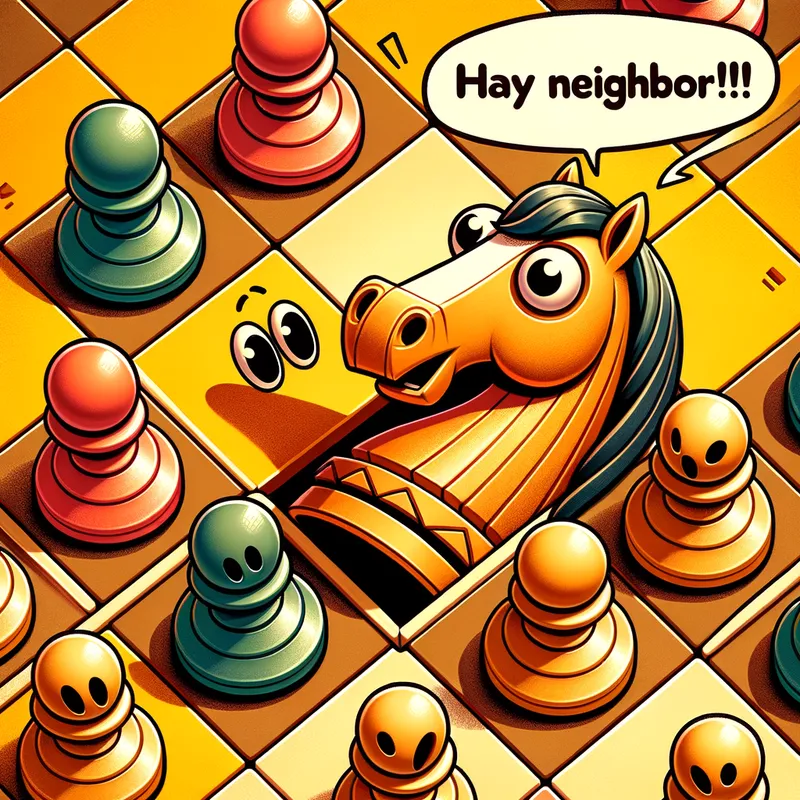
Knight's Surprise Leap - AI Generated Image with Art

Knight's Surprise Leap - Prompt: A brightly colored chessboard scene from a children's book, viewed from directly above (bird's-eye view).

Focus:

The main focus should be a knight chess piece (the "horsey guy") in the middle of an L-shaped jump.
Details:

Use a vibrant color palette and a cartoon illustration style suitable for children.
The chessboard squares should be clearly visible, forming a grid pattern.
Show several pawns (2-3) standing in a line on the squares, looking surprised at the knight's jump.
You can depict the pawns as simple shapes with big, surprised eyes.
Optional: Include a speech bubble above the kight with the text " Hay NEIGHbor!!'
There's no need to depict the entire chessboard, just enough squares to show the knight's movement and the pawns' positions.
Overall Tone:
The image should be humorous and capture the playful interaction between the knight and the pawns. - AI image generated with Art - cartoony, bird's eye view

More like this

Knight's Surprise Leap

Prompt: A brightly colored chessboard scene from a children's book, viewed from directly above (bird's-eye view). Focus: The main focus should be a knight chess piece (the "horsey guy") in the middle of an L-shaped jump. Details: Use a vibrant color palette and a cartoon illustration style suitable for children. The chessboard squares should be clearly visible, forming a grid pattern. Show several pawns (2-3) standing in a line on the squares, looking surprised at the knight's jump. You can depict the pawns as simple shapes with big, surprised eyes. Optional: Include a speech bubble above the kight with the text " Hay NEIGHbor!!' There's no need to depict the entire chessboard, just enough squares to show the knight's movement and the pawns' positions. Overall Tone: The image should be humorous and capture the playful interaction between the knight and the pawns.

Art, Size: 1024 x 1024
 0 Likes
 87 Views

Make your own version

Start from this image's prompt and change anything you like.

Art
⭐⭐⭐⭐⭐

Stunning photorealistic visuals

“It takes only a few seconds of browsing through the images already created by others to see the quality. I was specifically interested in portraits that are super realistic, almost like photographs. And the ones I'm able to create in Tangra are amazing! Just search up “portrait” and you’ll see what I mean.”
— Jade

Frequently Asked Questions

Can I use the AI-generated images commercially?

Yes. All images created with Tangra AI are copyright-free and fully approved for commercial use, with no attribution required.

What AI models are used to create these images?

Tangra AI uses a curated mix of the best-performing industry models, alongside our own proprietary models to deliver consistently high-quality, production-ready images.

Can I edit the images after they are generated?

Yes. Tangra AI includes powerful editing tools that let you refine and adjust your images after they're generated.

Can I generate images in a specific brand style?

Yes. You can guide the AI with brand logos, reference images, brand colors and visual aesthetics to produce images that align with a brand's identity.

Can I generate images in different styles and formats?

Absolutely. Tangra AI supports a wide range of styles, from realistic to futuristic, and you can choose from various formats to suit your needs.

Can I generate images in different resolutions?

Yes. Tangra AI allows you to generate images in various resolutions, including high-resolution options suitable for print and digital media.

Do I need design experience to create professional-quality images?

No. Tangra AI is designed for marketers, entrepreneurs, and business users. Simply describe what you want, and the AI generates professional-quality visuals from your instructions.

Are there any restrictions on the types of images I can generate?

Tangra AI has guidelines to ensure responsible use. You cannot generate content that is illegal, harmful, or violates the rights of others.