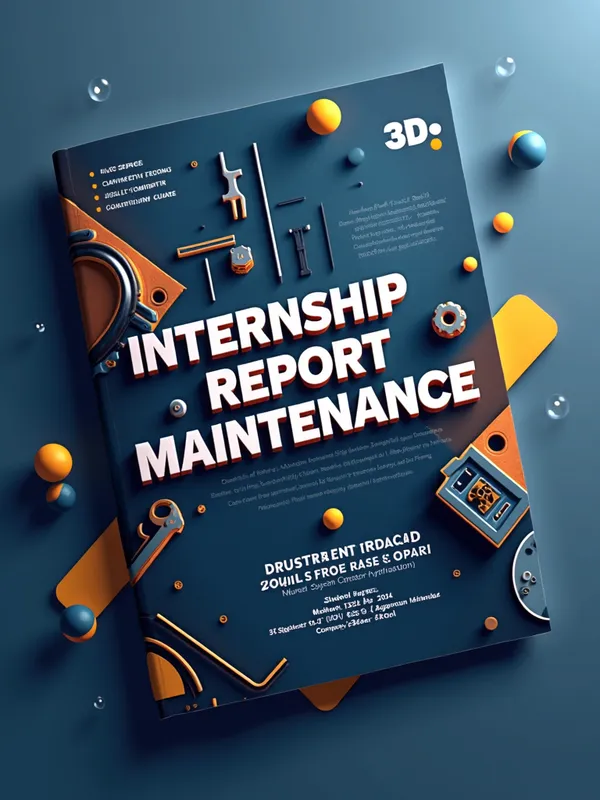








3D Industrial Report Cover - AI Generated Image with Text

3D Industrial Report Cover - 3D Cover Page Elements
Background:

Use a gradient background with modern colors (dark blue to light blue or metallic gray) for a professional effect.

Add 3D effects like geometric lines, abstract shapes, or drop shadows to give depth.

Report Title:

3D Text: Use an extrusion effect to give volume to the title. For example:

"Internship Report - Industrial Maintenance" in large font (font: Arial Black, Calibri, or Montserrat).

Color: White or gold with a drop shadow for a 3D effect.

Place the title in the center of the page.

3D Illustrations:

Add 3D icons or illustrations related to industrial maintenance:

A 3D hydraulic cylinder.

Industrial tools (wrenches, nuts, gears).

A stylized factory in the background.

These elements can be found on free image banks (Freepik, Flaticon) or created with 3D tools (Blender, SketchUp).

Personal Information:

Place the following information at the bottom of the page, in a modern frame:

Student Name: Mohamed Rayen Hamrouni

Course: TMSPC

Internship Period: September 16, 2024 to October 18, 2024 and November 4, 2024 to November 8, 2024

Host Company: Bagneux Hydraulique

Company Address: 75, Avenue Henri Ravera, 92220 Bagneux

Company Supervisor: Max

Additional Visual Effects:

Add lights and reflections for a realistic effect.

Use transparencies for the geometric shapes in the background.

Include the company logo (Bagneux Hydraulique) at the top right. - AI image generated with Text

3D Industrial Report Cover

3D Cover Page Elements Background: Use a gradient background with modern colors (dark blue to light blue or metallic gray) for a professional effect. Add 3D effects like geometric lines, abstract shapes, or drop shadows to give depth. Report Title: 3D Text: Use an extrusion effect to give volume to the title. For example: "Internship Report - Industrial Maintenance" in large font (font: Arial Black, Calibri, or Montserrat). Color: White or gold with a drop shadow for a 3D effect. Place the title in the center of the page. 3D Illustrations: Add 3D icons or illustrations related to industrial maintenance: A 3D hydraulic cylinder. Industrial tools (wrenches, nuts, gears). A stylized factory in the background. These elements can be found on free image banks (Freepik, Flaticon) or created with 3D tools (Blender, SketchUp). Personal Information: Place the following information at the bottom of the page, in a modern frame: Student Name: Mohamed Rayen Hamrouni Course: TMSPC Internship Period: September 16, 2024 to October 18, 2024 and November 4, 2024 to November 8, 2024 Host Company: Bagneux Hydraulique Company Address: 75, Avenue Henri Ravera, 92220 Bagneux Company Supervisor: Max Additional Visual Effects: Add lights and reflections for a realistic effect. Use transparencies for the geometric shapes in the background. Include the company logo (Bagneux Hydraulique) at the top right.

Text, Size: 768 x 1024
 5 Likes
 76 Views
⭐⭐⭐⭐⭐

Above AND Beyond

In the beginning...I wasn't to sure if this thing was gonna fly! Then I thought about the Wright Brothers. they weren't sure they were gonna get off the ground either. but once I finally got off the tarmac onto runway 1 and was cleared to go my status quickly went from Student pilot, right on up to Astronaut! 'Tangra AI Image Generator' Has proven its self to me, to be way ABOVE and BEYOND, any other AI Image Generator ever created. And I have tried a bunch! I tip my hat to the 'support team'. They are quicker to respond than my Mustang is at the strip (and its FAST). What I'm try'n to say is get the app. you will NOT REGRET IT.

Similar AI-Generated Images

Discover more images created with similar styles, themes, and AI models


Frequently Asked Questions

Can I use the AI-generated images commercially?

Yes. All images created with Tangra AI are copyright-free and fully approved for commercial use, with no attribution required.

What AI models are used to create these images?

Tangra AI uses a curated mix of the best-performing industry models like Flux, DALL·E, Imagen, Nano Banana, and Stable Diffusion alongside our own proprietary models to deliver consistently high-quality, production-ready images.

Can I edit the images after they are generated?

Yes. Tangra AI includes powerful editing tools that let you refine and adjust your images after they're generated.