
What people make
Projects Tangra users told us they are working on.
An album for your parents
One song per family story, to bring old memories back for the people who lived them.
Birthdays and anniversaries
A song with their name in it, the inside jokes, and the date that matters.
Weddings and family events
A first-dance song, a toast set to music, or a theme for the reunion.
A tribute to someone you lost
A gentle song to play at a memorial, or simply to keep.
Songs about your friends
Something silly and loud to play when you are all together.
Songs made in Tangra AI
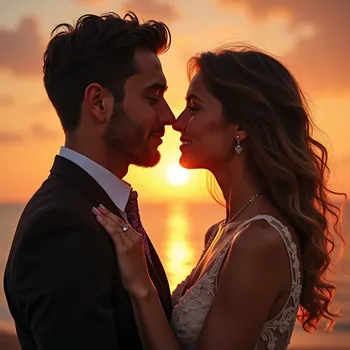
Every note below was made in Tangra AI, then set to video. Press play.

How to make a personalized song gift
- 1Pick a Song modelOpen the Music Generator and choose a Song model. Song models sing; Music models make instrumentals.
- 2Tell the storyWrite your own lyrics in Verse and Chorus sections, or describe the person and press the sparkle button to draft lyrics for you.
- 3Choose the soundAdd genre, mood and vocal tags. Genre and mood change the song the most, so set those first.
- 4Create and listenThe song plays in the built-in player as soon as it is ready. Create another version if you want a different feel.
- 5Give itDownload the MP3, share a link, or turn the song into a music video with the Music Video creator.
Tools you will use
Step-by-step guides for every tool are in the help center.
Tips that make the difference
Frequently asked questions
Can I make a personalized song with my own lyrics?
Yes. On Song models you can write the lyrics yourself in Intro, Verse, Chorus, Bridge and Outro sections, paste finished lyrics, or let Tangra draft them from a description of the person and your story. Lyrics can be up to 3,000 characters.
Can the song include their name?
Yes. Put the name in the lyrics and the AI singer sings it. If an unusual name comes out wrong, spell it the way it sounds and create the song again.
Do I need to sing or play an instrument?
No. Tangra composes the music and an AI voice sings it. You choose the genre, the mood and the type of voice, and on Song 3.0 you can pick a named AI singer and preview their voice first.
How do I give the song as a gift?
Download it as an MP3 to send or play, or share a link to it. You can also turn it into a music video with the Music Video creator, which puts visuals to the song in a few guided steps.
Who owns the song?
You do. Tangra claims no ownership of what you create and asks for no attribution, so you can use it in personal and commercial projects.
How long is each song?
Each music model creates a track of a set length. For something longer, create several tracks and join them on the timeline in the video editor.
How much does a song cost?
Signing up is free. Creating uses credits: the price of the model you pick shows on the Create button before you confirm, and credits come with a monthly plan or a one-time credit pack. You can also earn free credits by inviting friends and playing the in-app games. Current prices are on the pricing page.
More things people make
Turn your lyrics or poem into a finished song
Paste your lyrics or a poem and hear it sung. Choose the genre, the mood and the voice. No singing, instruments or studio needed, and your words stay yours.
Old family photos, restored for the next generation
Repair faded, scratched and black-and-white family photos, add color, and turn them into albums, slideshows, holiday cards or pages for your family tree.
Music videos for your YouTube channel
Create a song or upload your own, then turn it into a music video in a few guided steps, in 16:9 for YouTube or 9:16 for Shorts. Export an MP4 and post.