
What people make
Projects Tangra users told us they are working on.
Photos for the grandchildren
Prints that have faded, cracked or yellowed, repaired before they are gone.
Your family tree
Clear, colorized portraits of ancestors for genealogy pages.
Slideshows and memorials
Restored photos for a memorial, an anniversary or a family reunion.
Holiday cards from old photos
A restored photo placed in a Christmas scene, ready to send.
Team and school archives
Old team photos and yearbook pictures for reunions and presentations.
Before and after, in the Tangra AI Photo Editor
Real transformations from the Photo Editor, each with the instruction that made it.
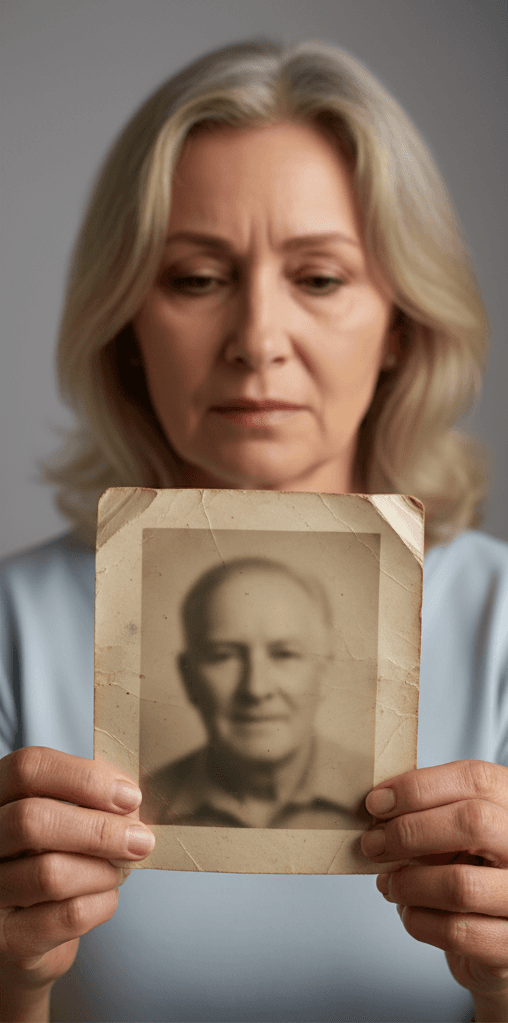 Before
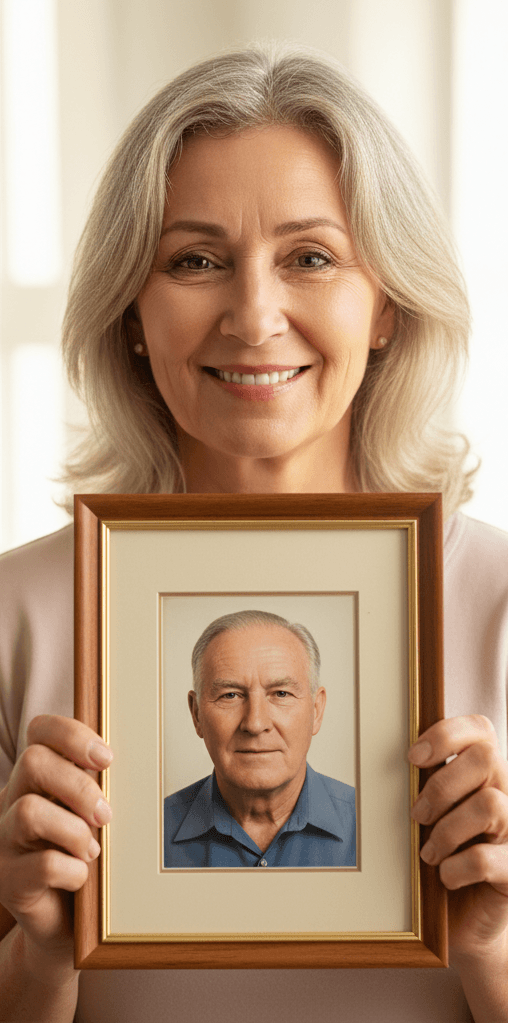 After
AfterA cracked portrait, restored, colorized and framed.
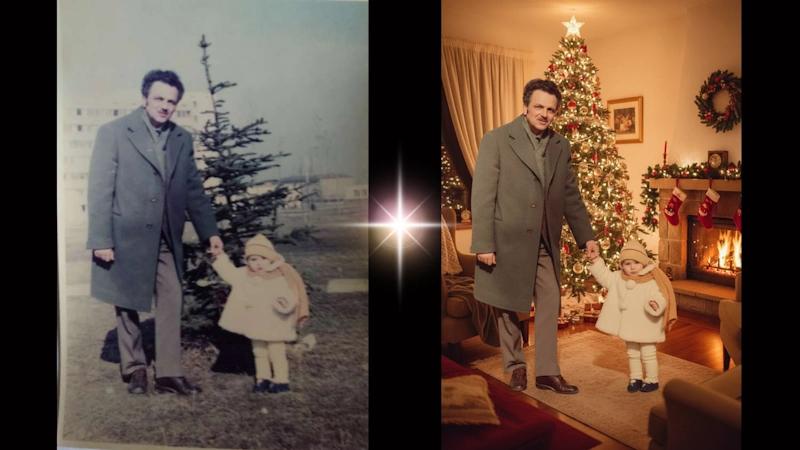
A girl and her grandfather, moved from a faded print to a Christmas card.
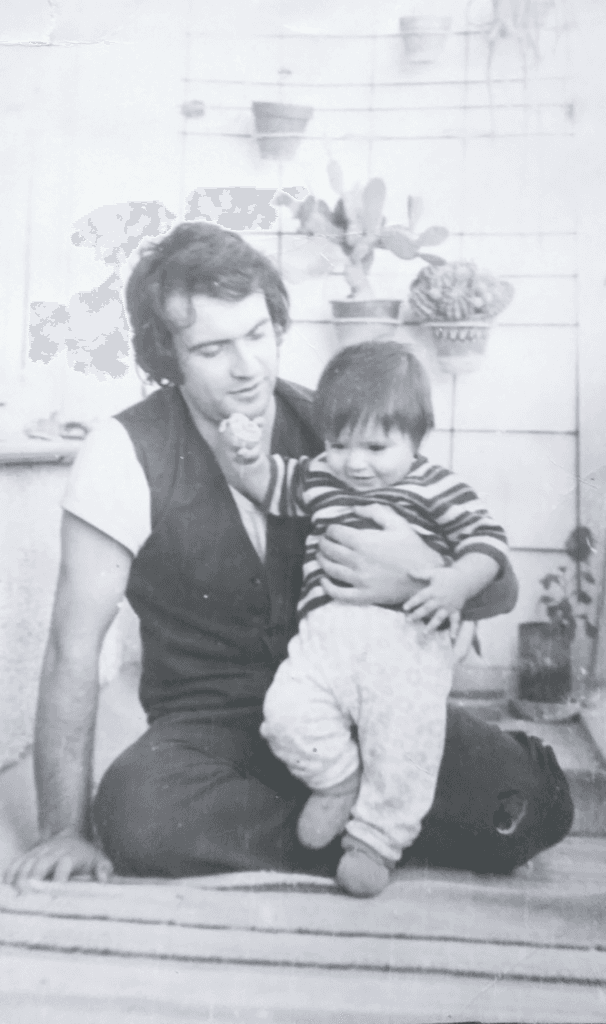 Before
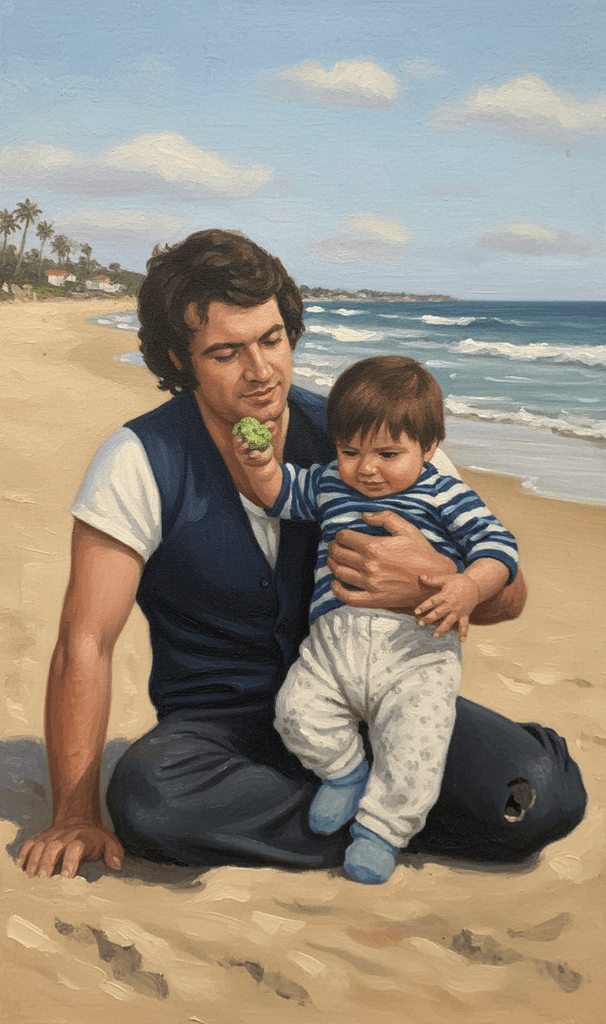 After
AfterRestored first, then repainted as an oil painting on the beach.
How to restore an old family photo
- 1Scan or upload the photoScan the QR code to send a photo from your phone camera, or upload a JPEG, PNG, WEBP, HEIC or JFIF file up to 30MB.
- 2Pick a restoration promptFull Restoration, Remove Spots, Fix Sharpness or Add Color, or describe the fix in your own words.
- 3Choose the qualityLight is the fastest, Smart is the default, and Genius gives the best result on badly damaged photos.
- 4Keep editingPress Continue Editing to add color, change the background or place the photo in a card, one change at a time.
- 5Download or shareDownload the PNG, or send the family a share link.
Tips that make the difference
Frequently asked questions
Can AI restore old family photos?
Yes. The Photo Editor removes blur, spots and cracks, sharpens detail and adds realistic color to old, faded, scratched or black-and-white photos, as a full restoration or one fix at a time.
Will it change their faces?
The restoration prompts are written to preserve facial features and original details. On badly damaged photos the AI has to rebuild what is missing, so compare the result with the original before you share it.
Can I colorize black-and-white photos?
Yes. Choose Add Color, or run a Full Restoration, which repairs the photo and adds realistic color in one pass.
How do I get old prints into Tangra?
Scan the QR code on the upload screen and take a photo of the print with your phone, or upload a scan from your computer. JPEG, PNG, WEBP, HEIC and JFIF files up to 30MB are accepted.
Are my family photos private?
Yes. Photos you upload stay private to your account and are never used to train public AI models, and you can permanently delete your account at any time from your profile.
What does a restoration cost?
Each transform uses credits. Light is the cheapest tier and Genius the highest quality, and the price shows on the Transform Photo button before you confirm. Current prices are on the pricing page.
More things people make
Personalized song gifts, written from your memories
Turn a birthday, an anniversary or a family memory into an original song with your own words. Choose the style and the voice, then download it to give.
Designs for the products you sell
Create designs for t-shirts, stickers, greeting cards, wall art and laser engraving. Download high-resolution PNGs, and sell the products you make with them.
Book covers, illustrations and trailers for your book
Create book covers, scene illustrations, coloring pages and book trailers. Keep your characters consistent with reference images. The artwork is yours.