
What people make
Projects Tangra users told us they are working on.
Posts that bring people in
Seasonal specials, events and offers, sized for Instagram, Facebook or LinkedIn.
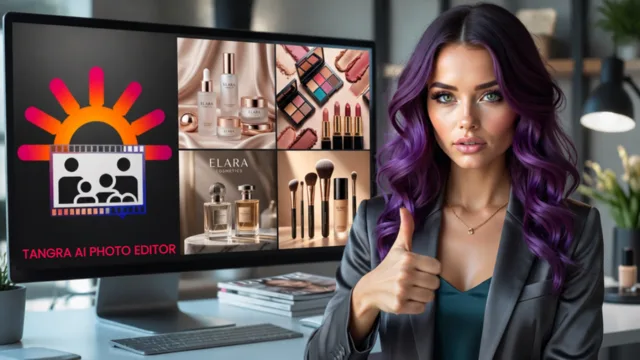
Better product photos
Change the background, relight or retouch the photos you already have.
Short videos and reels
Animate a product photo, or tell your story in a narrated video.
Your own music
Jingles and background tracks with no licenses to sort out.
Flyers and recruiting
Images and short videos that get new families and customers to sign up.
Videos made with Tangra AI Storyteller
Every frame, voice and note below was created in Tangra AI. Press play.

How to create social media content for a small business
- 1Start from what you haveUpload a product photo to the Photo Editor, or describe the post you need in the Image Generator.
- 2Pick the size for the channelSquare for the feed, 9:16 for stories and reels, 16:9 for YouTube and your website.
- 3Make it moveAnimate an image in the Video Generator, or build a story video in Storyteller from a type such as Promo & offer or Social reel.
- 4Add music and a voiceoverCreate a track in the Music Generator and a voiceover in the Voice Generator, and put them together on the timeline.
- 5Export and postDownload the images and MP4 videos and post them to your channels.
Tools you will use
Step-by-step guides for every tool are in the help center.
Tips that make the difference
Frequently asked questions
Can I use Tangra content in ads and for clients?
Yes. Everything you create is cleared for personal and commercial use, including ads, client work and revenue-generating projects. Tangra claims no ownership and asks for no attribution.
Can I edit my own product photos?
Yes. The Photo Editor changes backgrounds, adds or removes objects, relights and retouches photos you upload, from an instruction in plain English.
Can Tangra post to my social accounts?
Tangra AI Writer publishes and schedules posts to LinkedIn, Facebook and Instagram. It is available to Tangra AI Studio subscribers and invited users.
Do I need design or video skills?
No. Simple mode writes the image prompt from a few keywords, and Storyteller walks you through a video step by step. The timeline editor is there when you want more control.
What does it cost?
One credit balance covers images, photos, video, music and voice. Paid plans include unlimited images on Tangra's own image models, and every other creation shows its price before you confirm. Current prices are on the pricing page.
More things people make
Designs for the products you sell
Create designs for t-shirts, stickers, greeting cards, wall art and laser engraving. Download high-resolution PNGs, and sell the products you make with them.
Music videos for your YouTube channel
Create a song or upload your own, then turn it into a music video in a few guided steps, in 16:9 for YouTube or 9:16 for Shorts. Export an MP4 and post.
Worship songs and church media, made in one place
Set your worship lyrics or a public-domain hymn to music, create quiet instrumentals for services, and make slide images and voiceovers in one place.