

Tangra AI Writer
From SEO research to published content — all in one place.

Overview
Tangra AI Writer is an end-to-end AI content workspace that takes marketers from keyword research to publishable, SEO-optimized articles and scheduled social posts. It bundles SEO/SERP research, AI outline generation, section-by-section drafting with brand voice, on-page SEO optimization, content refreshing, and multi-format repurposing into one guided workflow, plus a built-in social media suite for composing, scheduling, and publishing to LinkedIn, Facebook, and Instagram. Users choose the AI model (Claude or ChatGPT) per task and pay in credits. Access is gated to Tangra AI Studio subscribers and invited users.
Who it’s for
- Content marketers and SEO writers producing search-optimized articles
- Solo creators and small teams who want one tool from research to publish
- Social media managers scheduling and publishing across LinkedIn, Facebook, and Instagram
- Agencies maintaining brand voice consistency across many clients/articles
- Founders and B2B marketers repurposing long-form content into multiple channels
Key features
SEO Research & SERP Analysis
Enter a target keyword to get search volume, difficulty (Easy/Medium/Hard), search intent, dominant content type, the top SERP competitors (rank, domain, content type, estimated word count), People Also Ask questions, must-cover topics, related entities, and related keywords you can hand-pick to feed into the outline.
AI Outline Generator
Generates a competitor-informed H1/H2/H3 structure with intro bullets, per-section notes, an FAQ section, and conclusion. Sections and subsections are drag-and-drop reorderable, inline-editable, addable/removable.
Section-by-Section Drafter
Drafts each outline section with AI, applying a selected brand voice and SEO context (primary/secondary keywords, entities). Includes a quick-edit toolbar (Shorten, Expand, Simplify, Professional, Casual, Add Example), free-text custom instructions with saved-instruction history, regenerate, live word count, and direct inline editing of the content.
SEO Optimizer
Tracks primary keyword density with guidance (aim 3-5x) and per-secondary-keyword counts, generates 3 variants each for meta title, meta description, and URL slug, generates a featured snippet, and runs a 9-point SEO checklist with a completion progress bar (keyword in title/first paragraph, internal/external links, min 300 words, etc.).
Brand Voice Manager
Create reusable brand voices manually or by pasting writing samples for AI analysis. Configure target audience, formal/playful/technical tone sliders (1–5), Do's and Don'ts rules, goals, and topic clusters. Set a default voice, edit, duplicate-free manage, and delete voices; applied per article during drafting and to social posts.
Content Refresher
Analyzes existing content (from the current article or pasted text) against current SERP data to surface missing topics, outdated elements, missing questions, structural issues, and depth opportunities. Choose Quick or Deep refresh, then review changes side-by-side or changes-only with [UPDATED]/[NEW SECTION]/[ENHANCED] highlights and accept to update the article.
Repurposing Engine
Transforms a finished article into platform-specific formats — LinkedIn (3 variants), Twitter thread, email newsletter, YouTube script, and short-form video — with a per-format tone selector and batch generation. Outputs are shown in tabs with copy and download buttons.
Social Suite (Compose, Schedule, Publish)
A 5-step social composer (Channel → Copy → Media → Preview → Publish) with AI brainstorming, AI refine chat, hashtag/mention support, media library picker, and live platform previews. Connect LinkedIn, Facebook, and Instagram via OAuth, schedule posts, and manage them on a drag-and-drop calendar (month/week/day) that lets you reschedule and delete.
Article Manager
Browse all articles with stats (total, drafts, in review, published), search by keyword, filter by status and date range, paginate, duplicate, export to Markdown, and delete. Click any article to jump back into its workflow.
How to use it — step by step
- Open Tangra AI Writer and sign inGo to https://tangra.link/writer and log in. Tangra AI Writer is part of the Tangra AI Studio and is available to its subscribers and invited users. If you don't have access yet, use the in-app 'Request Access' button or subscribe to Tangra AI Studio.
- Start SEO researchOpen the Articles group and select Research. Type a specific target keyword (e.g., 'content marketing tools'), optionally pick from your saved keyword history, and click 'Research'. Review search volume, difficulty, intent, top competitors, People Also Ask, must-cover topics, and related keywords.
- Pick keywords and generate the outlineIn the research results, check the related keywords you want to target, then click 'Create Outline from Research'. The tool creates an article and an H2/H3 outline with intro, FAQ, and conclusion notes.
- Edit the outlineIn Outline mode, drag to reorder sections/subsections, click headings to rename them inline, add or remove sections, then click 'Go to Drafting'.
- Draft each sectionIn Draft mode, choose an AI model and an optional brand voice, then click through the outline in the left panel and 'Draft This Section'. Refine with Shorten/Expand/Simplify/Professional/Casual/Add Example or a custom instruction, edit text directly, and track progress (drafted/total).
- Optimize for SEOIn Optimize mode, review keyword usage, click 'Create Variants' to produce 3 meta titles, descriptions, and slugs, create a featured snippet, and work through the SEO checklist. Changes are saved automatically.
- Export or publishFrom My Articles, export the finished article to Markdown (or copy into your CMS) and set its status to Published. Optionally continue to refresh or repurpose.
- Repurpose to other channels (optional)In Repurpose mode, select target formats (LinkedIn, Twitter, Email, YouTube, Short-form), set a tone per format, and click Create. Review each format in tabs and copy or download it.
- Refresh older content (optional)In Refresh mode, load the current article or paste text, run 'Analyze Content Gaps', pick Quick or Deep refresh, then compare and accept changes to update the article.
- Compose and schedule social posts (optional)Open the Social group → New Post. Pick channels (LinkedIn/Facebook/Instagram), write or AI-generate the copy, add media and hashtags, preview per platform, set a schedule time, and publish or schedule. Manage everything on the Calendar, and connect accounts under Accounts.
See it in action
Screens you’ll work with inside Copywriter:

The pre-login hero: 'Tangra AI Writer' title with tagline 'From SEO research to published content — all in one place,' the 'Log in to Create' button, and client reviews below.

Research mode with the keyword input panel on the left and the results: primary keyword card (search volume, difficulty, intent, content type), Related Keywords table with checkboxes, Top Competitors, People Also Ask, Must-Cover Topics, and Related Entities, plus 'Create Outline from Research'.
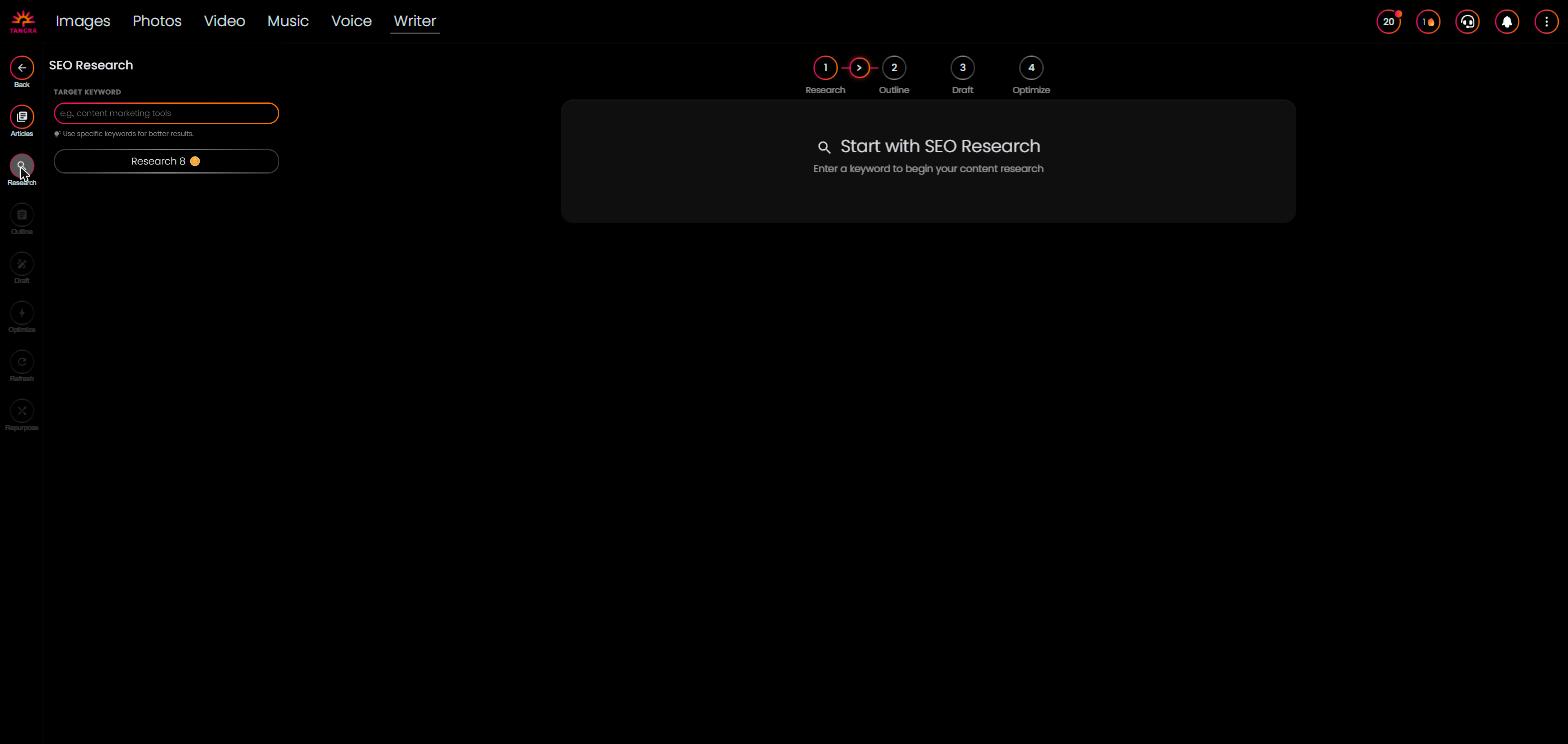
Outline mode showing the H1, intro bullets, draggable H2/H3 cards with inline-edit and add/remove controls, FAQ and conclusion, the lock toggle, and 'Go to Drafting' with the Research→Outline→Draft→Optimize wizard bar on top.

Draft mode with the AI model + brand voice selectors and outline checklist in the left panel, the current section heading and notes, the quick-edit refinement toolbar, custom-instruction field, editable content area, and live word count.

Optimize mode showing keyword usage, the meta title/description/slug variant generators with character counters, featured snippet box, and the 9-item SEO checklist with completion progress bar.

Repurpose mode with format checkboxes and per-format tone selectors in the panel, and generated outputs in tabs (LinkedIn variants, Twitter thread with char counts, email subject lines + body, YouTube script, short-form scenes) with copy/download.

Articles view with the stats row (Total/Drafts/In Review/Published), search and status/date filters, and the list of article cards showing status badges, primary keyword, word count, and duplicate/export/delete actions.
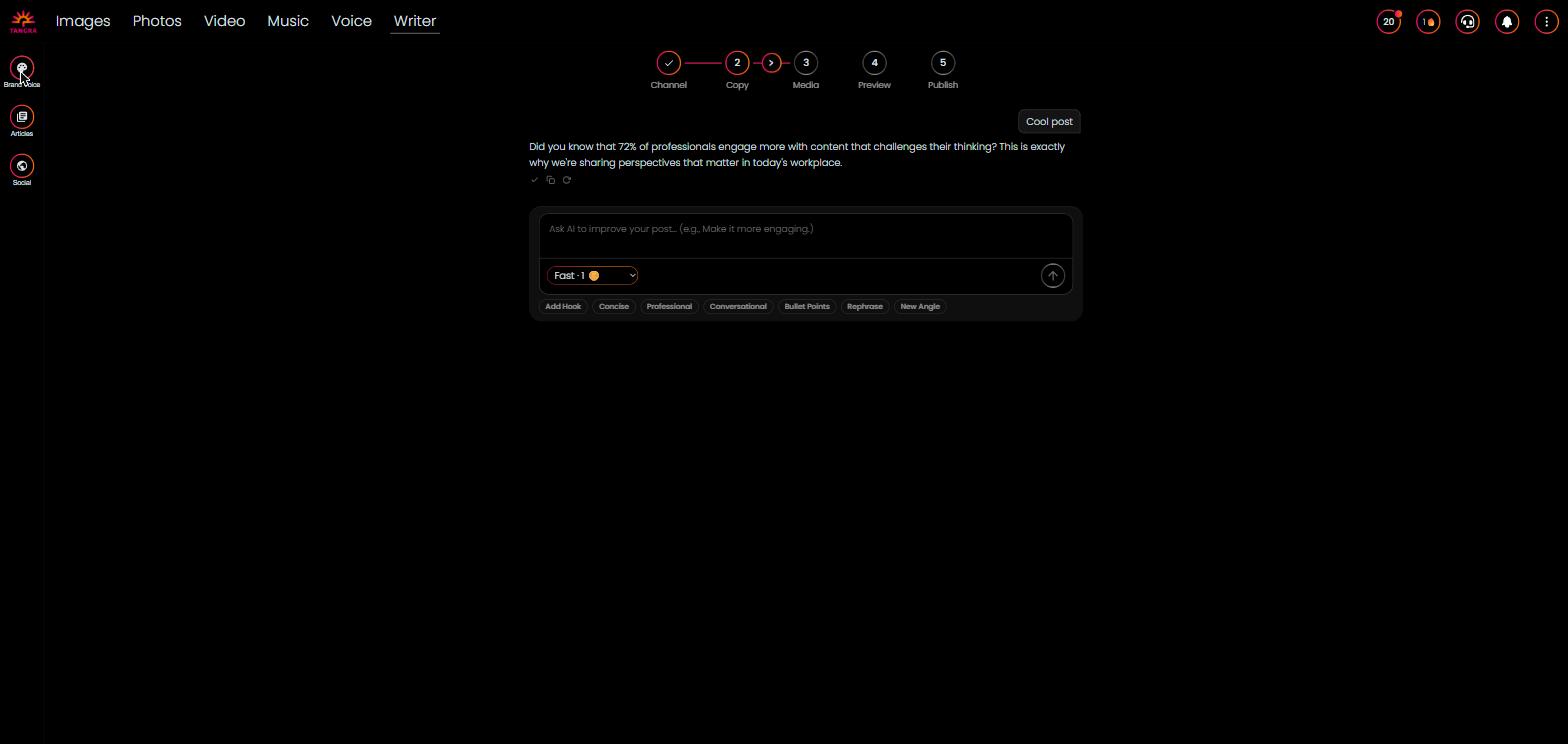
The 5-step social composer (Channel → Copy → Media → Preview → Publish): channel selection with LinkedIn/Facebook/Instagram, the AI 'Help me get started' idea/refine chat, and the platform-accurate post preview.

Month/week/day calendar of scheduled and published posts with platform color dots, status badges, drag-to-reschedule, platform filter, and 'New Post' button.

The social Accounts screen listing LinkedIn, Facebook, and Instagram with Connect/Disconnect, LinkedIn page selector, token-expiry info, and the privacy note.
Settings & controls
Every control in Copywriter, what it does and the options available:
| Control | What it does | Options |
|---|---|---|
| AI Model selector | Chooses which AI model powers generation for the current tool (outline, draft, refine, SEO meta, refresh, repurpose, social). Each shows a friendly name and credit cost; defaults to Claude Haiku. | ChatGPT Luna (Fast), Claude Haiku (Light), ChatGPT Pro (Smart), Claude Opus (Genius) |
| Target keyword input | The seed keyword for SEO research, with a dropdown of saved/previous keywords (selectable or deletable). Press Enter or click Research to run. | Free text; saved keyword history |
| Related keyword checkboxes | Select which related keywords from research feed into the generated outline as secondary keywords. | Multi-select checkboxes (top 10 related keywords) |
| Brand Voice selector (Draft) | Applies a saved brand voice to drafted sections, or uses the default voice. | Default voice, or any saved brand voice |
| Section refinement toolbar | One-click rewrites of a drafted section plus a free-text custom instruction with saved-instruction history and regenerate. | Shorten, Expand, Simplify, Professional, Casual, Add Example, Custom instruction, Regenerate |
| Tone sliders (Brand Voice) | Define a brand voice's tone profile on three 1-5 scales. | Formal 1-5, Playful 1-5, Technical 1-5 |
| Brand voice creation mode | How a brand voice is built — entered by hand or extracted by AI from pasted samples. | Create Manually, Analyze Samples |
| Refresh input mode | Source of content to analyze and refresh. | Current Article, Paste Text |
| Refresh depth | How aggressively the refresher rewrites the content. | Quick Refresh (update dates/stats + 1 section), Deep Refresh (restructure, rewrite, +2-3 sections) |
| Refresh comparison view | How original vs refreshed content is displayed. | Side by Side, Changes Only |
| Repurpose formats | Which platform formats to generate from the article (multi-select), each with a per-format tone. | LinkedIn, Twitter Thread, Email Newsletter, YouTube Script, Short-form Video |
| Repurpose tone | Tone applied to each selected repurpose format. | Professional, Conversational, Engaging, Enthusiastic, Energetic, Educational, Humorous |
| Article filters | Filter and search the article library. | Search text, Status (All/Draft/In Review/Published), Date from/to |
| Social channel picker | Target platforms for a social post (multiple allowed); character/media limits adjust to the strictest selected platform. | LinkedIn (3,000 chars), Facebook (63,206 chars), Instagram (2,200 chars) |
| Social AI generation (Composer) | Brainstorm idea cards then refine the chosen draft via chat, optionally guided by a brand voice and model. | Brand voice, AI model, topic + CTA, refine prompts (Add Hook, Concise, Professional, Conversational, Bullet Points, Rephrase, New Angle) |
| Post scheduling | When the post goes out; drafts auto-save and can be published immediately or scheduled. | datetime picker (defaults to next hour); publish now or schedule |
| Calendar view & filter | View and reschedule scheduled posts; drag posts to a new day. | Month / Week / Day; platform filter (All/LinkedIn/Facebook/Instagram) |
| LinkedIn author / page selector | Choose whether a LinkedIn post is published as you or as a managed Page, and set a default author URN. | Personal profile or connected LinkedIn Pages |
AI models
Copywriter lets you pick from a curated lineup of AI models — each shows its credit cost in the app. Available models:
Outputs & formats
- SEO-optimized long-form article (H1/H2/H3 sections, intro, FAQ, conclusion)
- Markdown export of full article (.md download)
- Meta title (50-60 chars), meta description (150-160 chars), URL slug, featured snippet (40-60 words)
- LinkedIn post — 3 variants (statement, story, question)
- Twitter/X thread — 5-10 tweets (≤280 chars each)
- Email newsletter — subject lines + body
- YouTube script — 3-5 minute video script
- Short-form video script — TikTok/Reels 30-60s with scene visuals and text overlays
- Repurposed asset download (.txt) and copy-to-clipboard
- Scheduled/published social posts to LinkedIn, Facebook, Instagram
- AI captions, hashtag groups, and content ideas for social